

Cloud backup recovery has become a core operational requirement for MSPs
Why Cloud Backup Recovery Matters More Than Ever for MSPs
As ransomware attacks, accidental deletions, insider threats, and SaaS misconfigurations continue to rise, MSPs are increasingly responsible for helping customers recover data quickly while minimizing operational disruption.
Many SMBs still assume platforms like Microsoft 365, Google Workspace, and Azure automatically provide full backup and recovery protection. In reality, cloud providers operate under a shared responsibility model. While they maintain infrastructure availability, MSPs and their customers remain responsible for protecting and recovering business-critical data.
When recovery fails, the consequences can be severe:
- Extended downtime
- SLA breaches
- Revenue loss
- Regulatory exposure
- Reputational damage
- Increased customer churn
Modern MSPs must therefore move beyond simply deploying backups and instead focus on complete recovery readiness.
Keep data protected with backups and disaster recovery
Backup vs Disaster Recovery
Backups create recoverable copies of data after events such as accidental deletion, corruption, malware infections, hardware failures, or insider threats.
What Backup Protects
- Microsoft 365 mailbox backups
- Entra ID (including permissions recovery)
- Endpoint backups
- File server backups
- Google Workspace backups
- What Disaster Recovery Covers
What Disaster Recovery Protects
Disaster recovery focuses on restoring the entire business operations after a major disruption. This includes infrastructure failover, application recovery, network restoration, identity recovery, and broader business continuity planning.
Why MSPs Need Both Backup and Disaster Recovery
Backups alone are not enough during real incidents. A backup only delivers value if it can be restored quickly, reliably, and at scale.
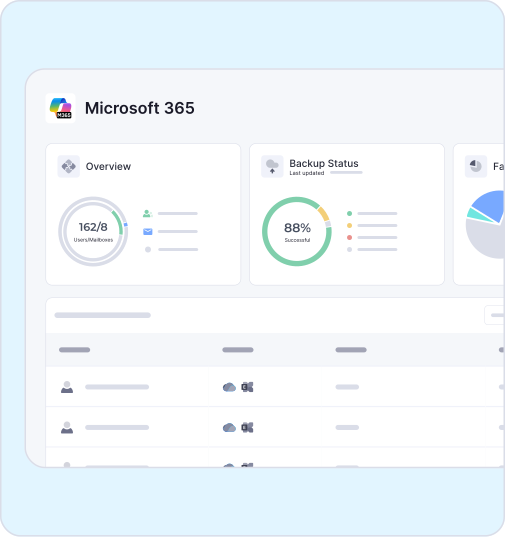
Backup and recovery needs to consider these core factors
Cloud Backup Recovery Essentials
Immutable Backups
Immutable backups are now essential for ransomware resilience because they cannot be modified or deleted during a defined retention period.
MSPs should prioritize:
- Object-lock enabled storage
- Immutable cloud repositories
- Air-gapped backup copies
- Segmented backup infrastructure
Strong immutability reduces the risk of backup tampering during attacks.
Automated Recovery Testing
One of the biggest weaknesses in many backup programs is insufficient recovery testing. Successful backups do not automatically guarantee successful recovery.
Best practices include:
- Quarterly restore testing
- Automated recovery verification
- Randomized file-level recovery validation
- Full workload recovery simulations
- Client-specific recovery documentation
Frequent testing helps MSPs identify recovery gaps before incidents occur.
Gain Complete Visibility into Backup Operations and Recovery Readiness
Simplify Backup Oversight for Multi-Tenant MSP Operations
Multi-Tenant Visibility
MSPs managing multiple customer environments need centralized visibility into backup operations, recovery readiness, retention compliance, storage growth, failed jobs, and security alerts. Platforms with strong multi-tenant management capabilities improve operational efficiency while reducing risk and administrative overhead.
Recovery Prioritization
Not every workload requires the same recovery urgency. MSPs should classify systems based on operational importance.
For example:
- Tier 1: Identity systems, ERP platforms, critical servers
- Tier 2: Email and collaboration services
- Tier 3: File archives and historical systems
Clear prioritization helps MSPs reduce downtime and improve customer communication during incidents.

Common Cloud Backup Recovery Mistakes MSPs Make
Assuming SaaS Platforms Fully Protect Data
Microsoft 365 and Google Workspace provide resiliency, not full backup recovery. MSPs still need protection against deletion, ransomware, insider threats, and retention gaps, while regularly testing restores to ensure rapid recovery when needed.
Weak Retention Policies
Short or inconsistent retention policies often create major recovery gaps. Retention strategies should align with compliance requirements, customer operational needs, cyber insurance expectations, and legal obligations.
Single Backup Repository Dependency
A single backup repository creates a dangerous point of failure. MSPs should follow the 3-2-1 backup rule and prioritize identity recovery, ensuring critical systems can be restored quickly after a cyberattack.
Automate Recovery Workflows
Automation reduces human error and accelerates recovery through automated testing, verification, and alerting. Combined with tiered recovery strategies, it helps MSPs meet SLAs and minimize customer disruption.
Conduct Recovery Readiness Reviews
Quarterly recovery reviews help MSPs identify backup gaps, retention issues, SLA risks, configuration drift, and broader security weaknesses before they impact customers.
Choosing the Right Cloud Backup Recovery Platform
MSPs should evaluate backup platforms based on real-world outcomes, including multi-tenant management, immutable storage, fast recovery, Microsoft 365 and Google Workspace protection, centralized reporting, and automation capabilities.

Fast Recovery. No Disruption
Backups completed every day. Powering automated backups at scale, trusted where downtime isn’t an option.
Microsoft recycle bins retain data for 93 days; we ensure indefinite recovery with unlimited retention.
M365 & Entra ID seats protected daily
Zero Downtime. Users access files instantly while restores run in the background, reducing downtime from hours to seconds.
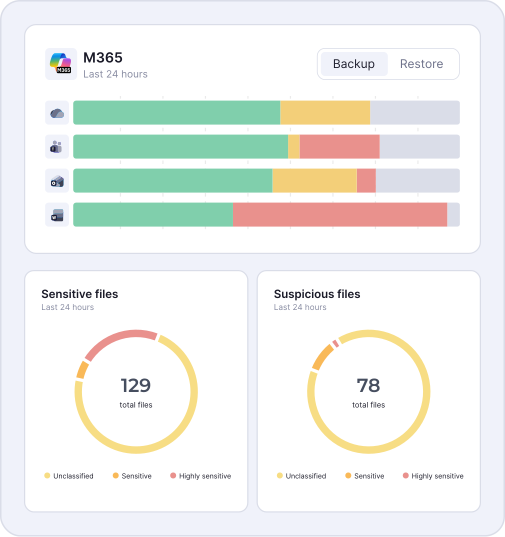
Putting Backup Recovery Best Practices into Action
Essential Backup Recovery Priorities for MSPs
Cloud backup recovery should be treated as a core cybersecurity and operational resilience service rather than a commodity infrastructure function.
The most successful MSPs focus on:
- Continuous recovery testing
- Immutable backup architectures
- Identity protection
- SLA-aligned recovery planning
- Shared responsibility education
- Automation and operational consistency
As ransomware attacks and operational complexity continue to evolve, recovery readiness will increasingly define MSP value, customer trust, and long-term retention. Modern backup recovery is about more than restoring data. It is about helping MSPs reduce disruption, protect customer operations, improve profitability, and grow with confidence.
Book a demo today to see how integrated backup recovery, ransomware resilience, and automated recovery management can help your MSP strengthen operational resilience while simplifying cloud protection.
Ready to get started?
