Product Highlights
September 8th, 2026 Update
Block List
This week, we are introducing block list functionality to our Email Security solution.
You can now add specific email addresses, domains, and/or IP addresses to your block list to prevent email from unwanted or malicious senders reaching your users' inboxes.
After populating your block list, you can specify what happens to email from these senders by going to the mail flow page. These emails can either be delivered with a warning banner applied, or they can be auto remediated to a location of your choice (e.g. junk email folder), which means they are automatically sent there before they reach the user.
Learn how to add and edit block list entries here.
Product Highlights
August 20th, 2026 Update
Mail Flow
The new Mail flow page lets you specify a remediation action and folder for each verdict, allowing more granular customization. 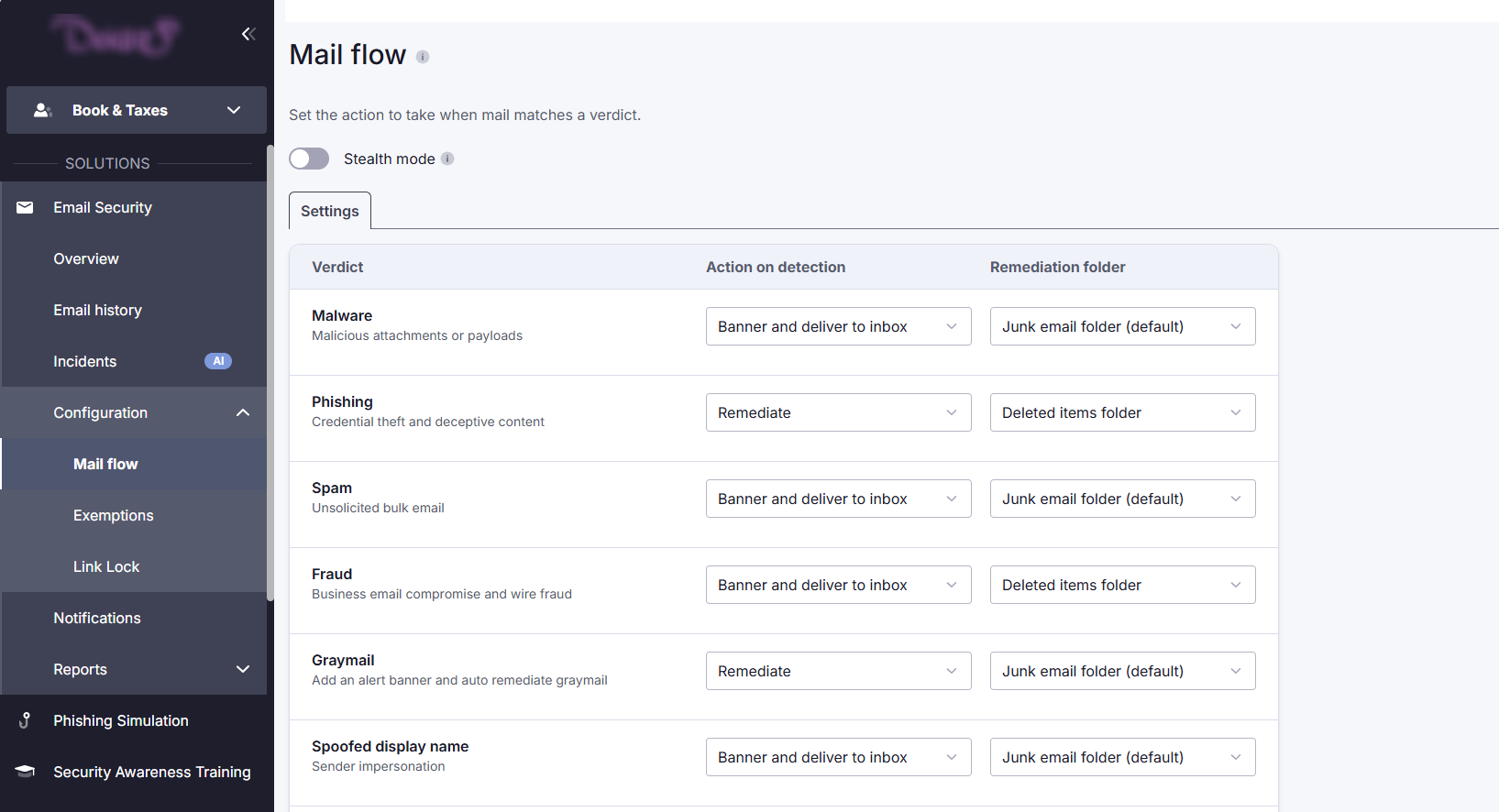
New settings
For each verdict, there are now two settings.
1. Under Action on detection, you will select what should happen to emails that receive a specific verdict.
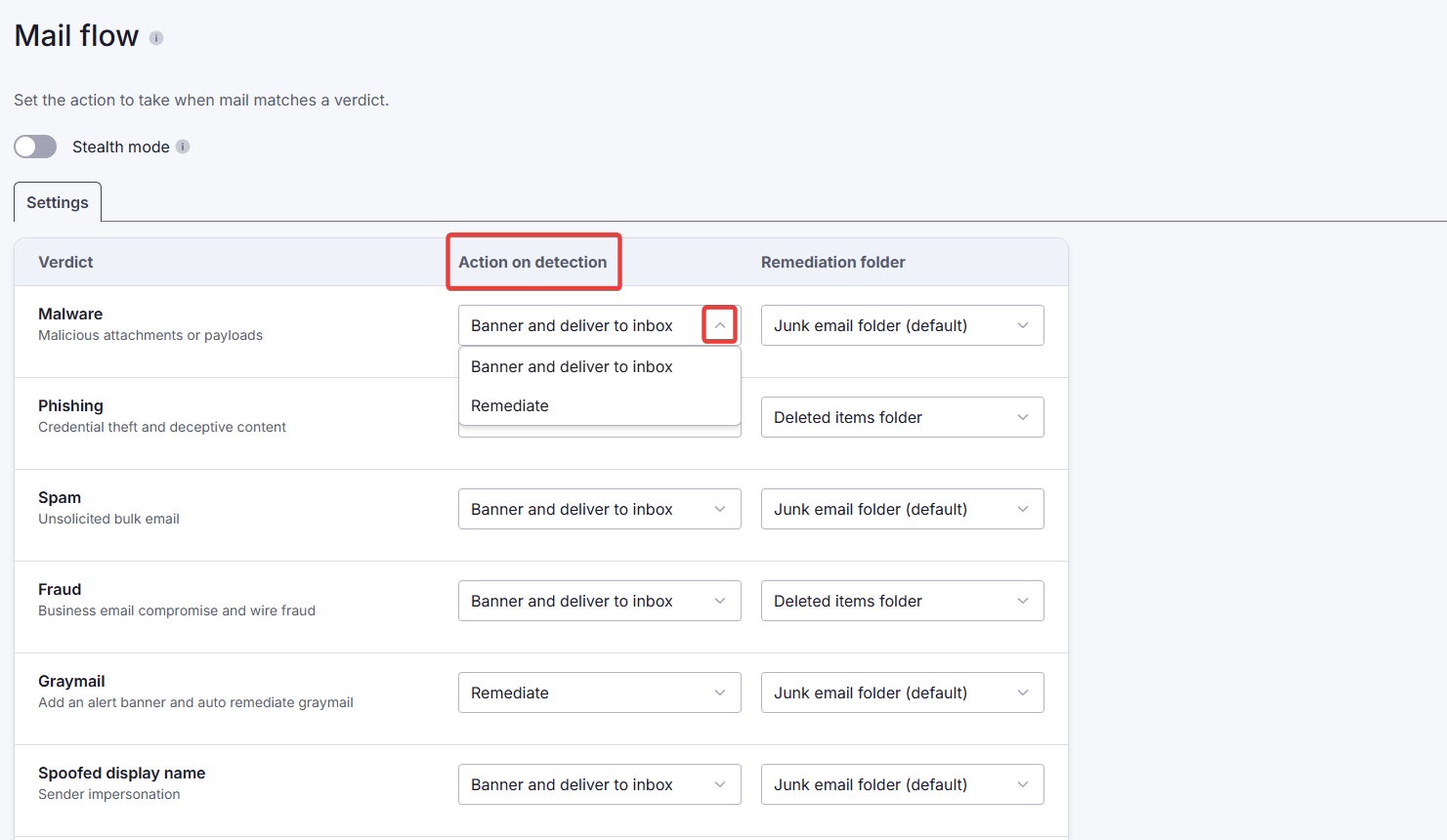
For most verdicts, there are three options. An email can be:
- delivered to the user's inbox,
- delivered to the user's inbox with a warning banner, or
- remediated (automatically sent) to a specified folder.
For some high-risk verdicts (e.g. phishing), the option to deliver the email to the user's inbox with no banner is not available.
2. Under Remediation folder, you will select where remediated emails should go.
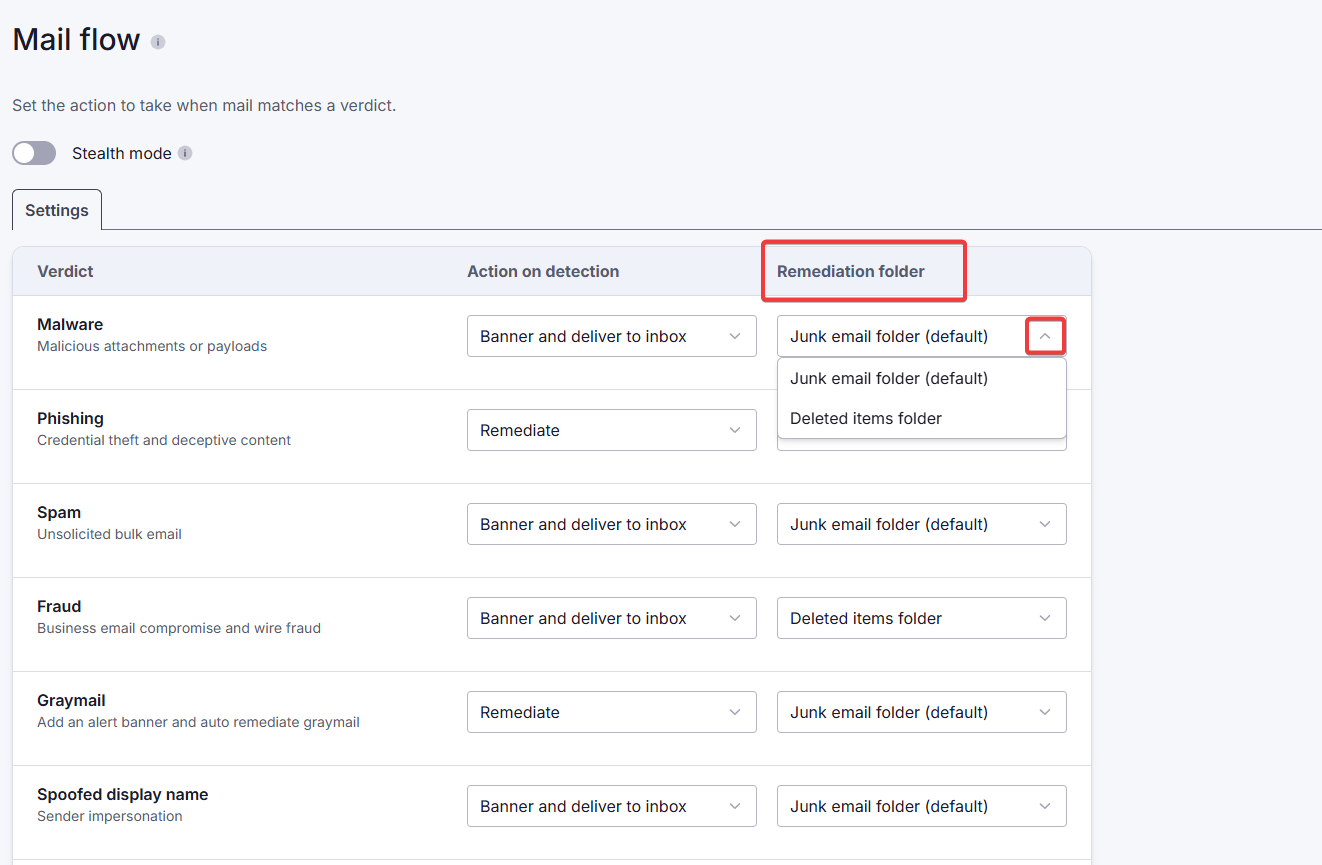
Even if the Remediate option is not selected as the action to take, the remediation folder remains visible in case remediation was selected by the admin (as opposed to the user).
You can now also select what happens to emails identified as risky by PhishShield (under the verdicts Malicious intent and Suspicious intent at the bottom of the page).
Migration of existing settings
When we switch to the new Mail flow page, your current settings will be transferred. You will be able to see your existing setup reflected in the selected drop-down options. Any changes you make to these settings after the introduction of the new page will only take effect on new incoming emails, i.e. changes are not retroactive.
Product Highlights
July 23rd, 2026 Update
Connect to Microsoft 365
From a customer's Connections page, the MSP Admin or Customer Admin can connect the customer's account to their Microsoft 365 tenant. This comprises three steps: signing into Microsoft, adding a non-delivery report (NDR) email address, and adding a journaling rule.
- An MSP admin can add a customer connection only if they have a Global Administrator role in the customer's Microsoft 365 tenant.
- A Customer admin can add the connection themselves only if they can access the Platform with login credentials received from their MSP admin.
To configure a Microsoft 365 connection, follow the steps below.
- Connect Microsoft 365
- Add a non-delivery report (NDR) email address (Email Security only)
- Add a journal rule (Email Security only)
- Deploy the Outlook add-in for Email Security (optional)
- Create a Microsoft 365 outbound connector (for SpamTitan customers)
- Disable Link Lock in SpamTitan
Connect Microsoft 365
1. Under M365 Connection, click Connect Microsoft 365.
|
|
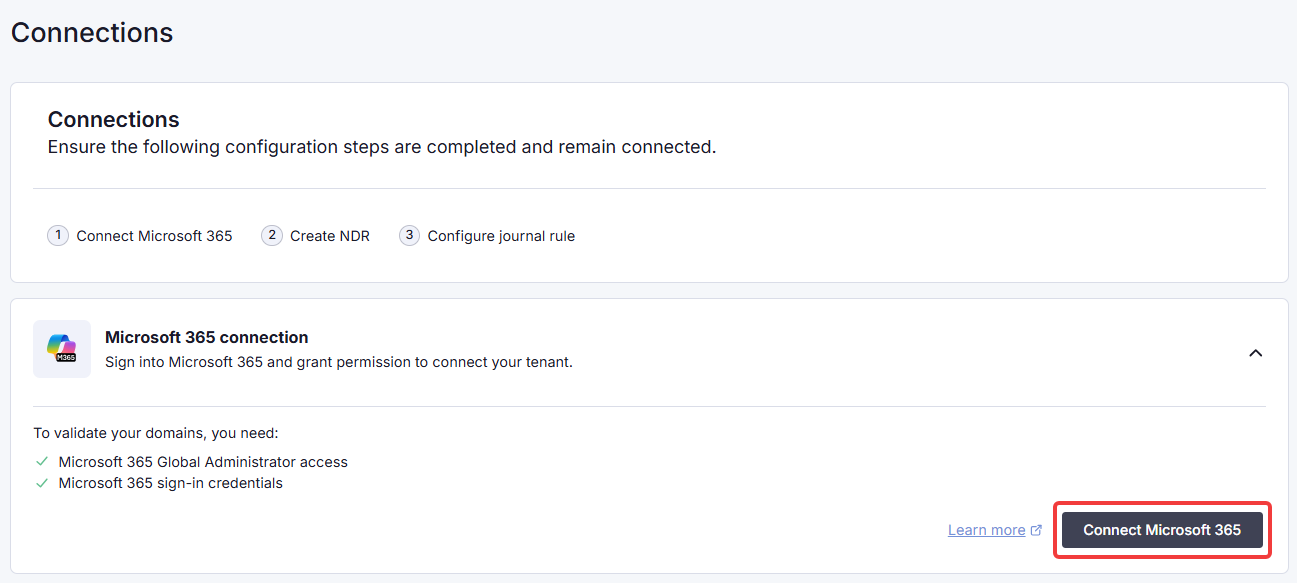
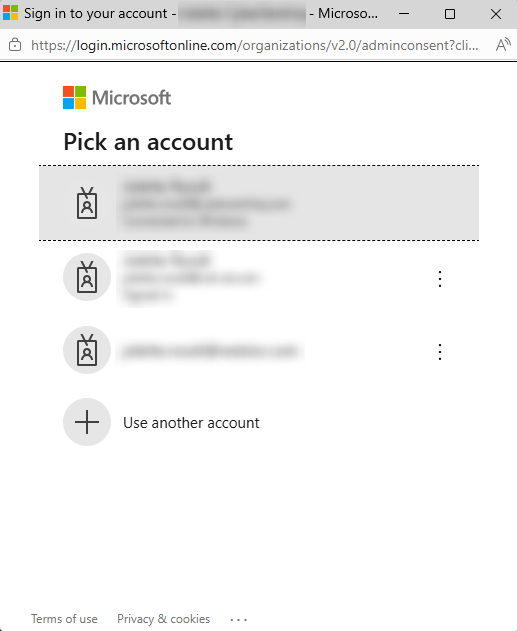
2. Select the applicable Microsoft account (a Global Administrator for the tenant) and sign in.
|
|
3. Review the requested permissions and click Accept.
|
|
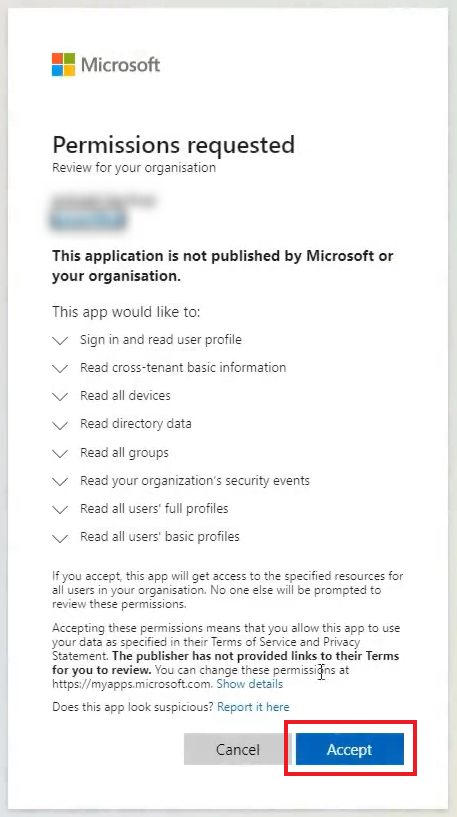
You will see a success notification, and the status will change to Connected
Add a non-delivery report (NDR) email address (Email Security only)
Under NDR email address, verify the tenant where the NDR email address will be created. This is where any non-delivery reports (NDRs) for undelivered journal reports will be collected, as they cannot be returned to the sender. For more information, see this article: Alternate journaling mailbox | Microsoft Learn
If you have an NDR email address in place in your M365 tenant, it will be updated our designated email address.
Note: To keep using your current NDR email address, skip this section and configure only the journal rule.
To proceed, click Create NDR email address.
|
|
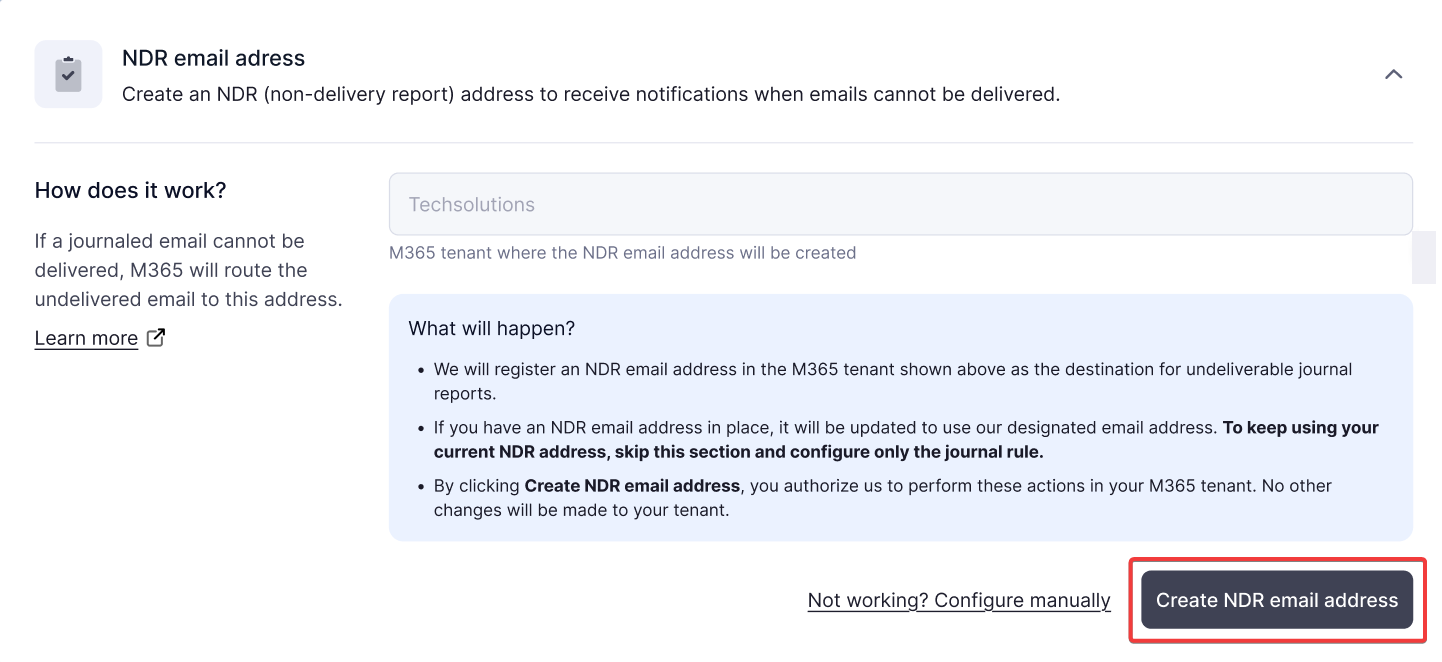
Once the NDR email address has been created, you will see a success notification and the status will change to Active.
If the NDR email address creation fails, you can create an email manually by following these steps:
- Click on Not working? Configure manually.
- Copy the provided NDR email address.
- In the Microsoft Purview compliance portal, navigate to Solutions → Data lifecycle management → Exchange (legacy).
- In the field Send undeliverable journal reports to, paste the copied NDR email address.
- Click Save.
In this case, we cannot automatically validate your setup. Monitor the provided email address to ensure it is working properly.
If you are still unable to create the NDR email address, please contact our support team.
Add a journal rule (Email Security only)
A journal rule allows a copy of every email sent or received in your organization to be sent to a journaling mailbox, from where it can be analyzed for spam, phishing and other threats. Note that the journal rule can only be created once an NDR email address has been configured. For more information, see this article: Journaling in Exchange Online | Microsoft Learn
Under Journal rule, verify the tenant where the journal rule will be created. Then click Generate rule.
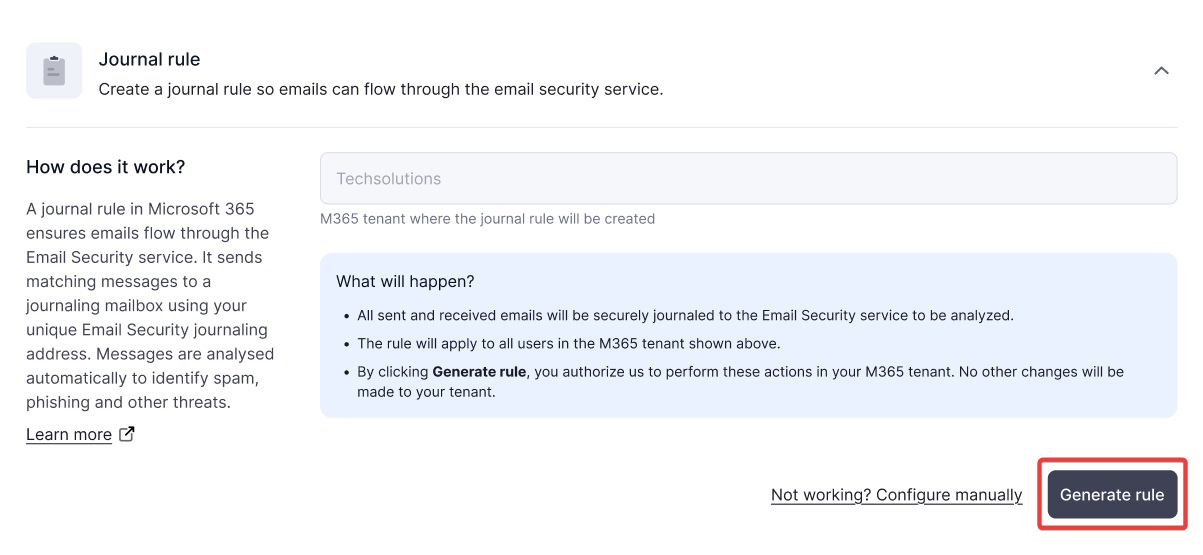
Once the journal rule has been created, you will see a success notification and the status will change to Active.
If rule generation fails, you can create a rule manually. In this case, we cannot automatically validate your setup, but you can test your configuration in the Microsoft Purview compliance portal. To do this:
- Click on Not working? Configure manually.
- Copy the provided journal email address.
- In the Microsoft Purview compliance portal, navigate to Solutions → Data lifecycle management → Exchange (legacy) → Journal rules, then select + New rule.
- In the field Send journal report to, paste the copied journal email address.
- In the field Journal Rule Name, enter a name for this rule, for example "Email Security".
- Apply the rule to everyone and all messages. If you need help, see this article: Manage journaling in Exchange Online | Microsoft Learn
- Click Next and then Submit.
- Click Confirm and then Test Configuration.
If you are still unable to create the journal rule, please contact our support team.
Deploy the Outlook add-in for Email Security (optional)
Follow the steps below to deploy the Outlook add-in. See Microsoft's knowledge base for more information: Deploy Office Add-ins in the Microsoft 365 admin center | Microsoft Learn
1. In the Microsoft 365 admin center, go to Settings → Integrated apps.
2. Go to Add-ins → Deploy Add-in.
3. In the Deploy a new add-in wizard, select Upload custom apps.
4. On the TitanHQ Platform, copy the Outlook add-in link provided under Connections → Security enhancements → Install the Outlook add-in in the right sidebar. The link will be in this format: https://protect.titanhq.com/manifest.xml
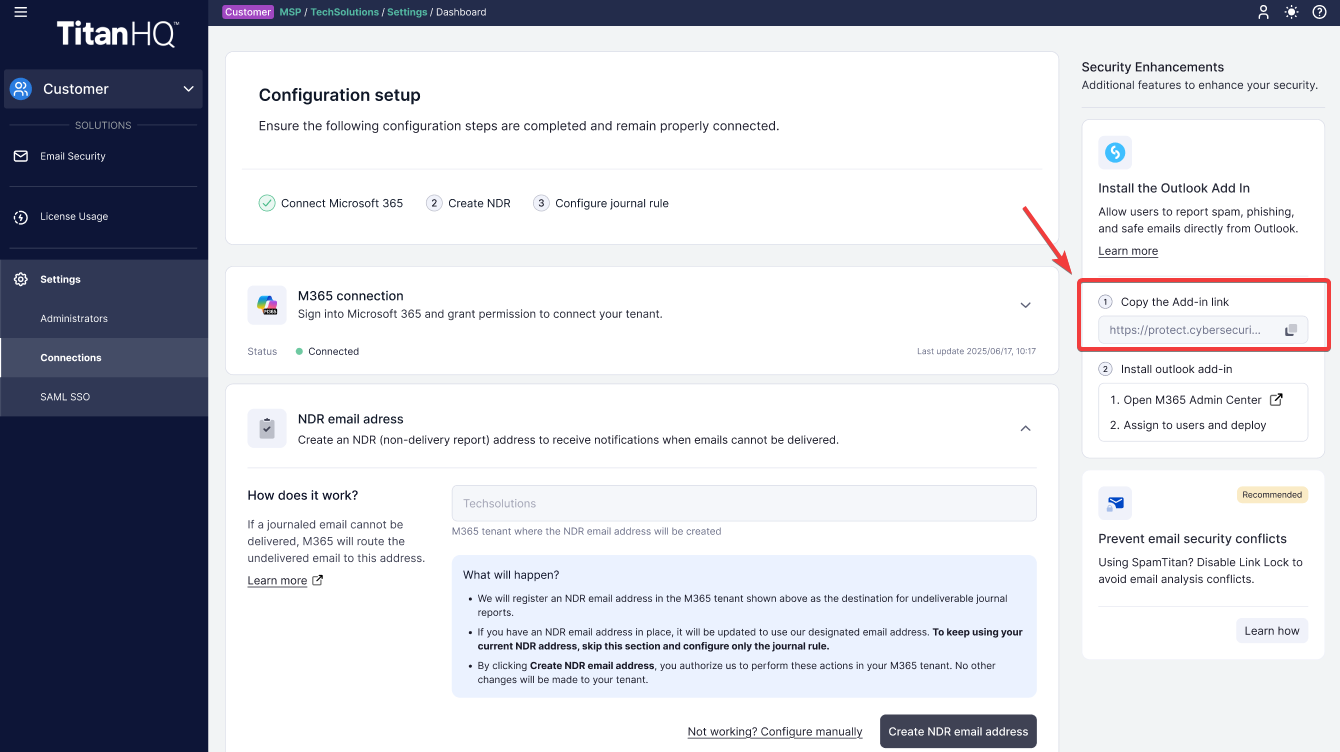
5. Back in the admin center, under Choose how to upload app, select Provide link to manifest file and enter the Platform link. Click Upload.
6. Under Assign users, specify the users of this add-in. It's best practice to deploy to a single user first, to test the functionality.
7. Click Deploy. Deployment time varies depending on your environment.
8. Once the deployment has completed and you've confirmed the add-in's functionality, click Change who has access to add-in to deploy to more users. The add-in will be available in the Outlook desktop client, web application, and mobile app.
Create a Microsoft 365 outbound connector (for SpamTitan customers)
Email Security customers using SpamTitan to send outbound mail must set up a Microsoft 365 outbound connector before completing their Email Security configuration. This connector allows outbound SpamTitan mail to pass through the Email Security service. For more information, see this article in Microsoft's knowledge base: Set up connectors to route mail between Microsoft 365 or Office 365 and your own email servers | Microsoft Learn
To set up the outbound connector:
1. Log into the Exchange admin center.
2. In the sidebar, go to Mail flow → Connectors.
3. Click Add a connector and select the fields as shown.
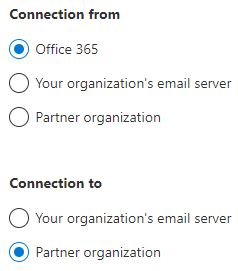
4. Click Next.
5. In the Connector name window, complete the fields.
- Under Name, give the connector a meaningful name, for example, SpamTitan Outbound to Email Security.
- In the Description field, enter an optional description for this connector, for example, Allow Email Security to receive SpamTitan outbound mail.
6. Enable Turn it on and click Next.
7. In the Use of connector window:
- Select Only when email messages are sent to these domains.
- Enter graph-in.us-east-2-01.prod.titanhq.com in the dialog box, and click +.
- Enter graph-ndr.us-east-2-01.prod.titanhq.com in the dialog box, and click +.
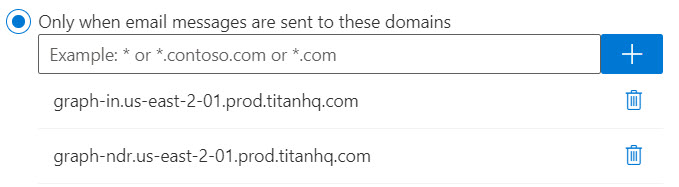
- Click Next.
8. In the Routing window, select Use the MX record associated with the partner's domain and click Next.
9. In the Security restrictions window, click Next to accept the default TLS settings.
10. In the Validation email window:
- Enter validate@graph-in.us-east-2-01.prod.titanhq.com in the dialog box, and click +.
- Click Validate. A test email will be sent to the email address.
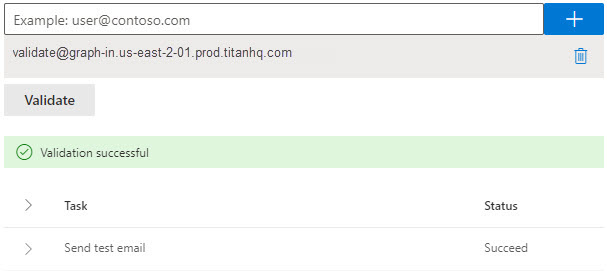
- Verify the information is correct, then click Next.
Disable Link Lock in SpamTitan
Follow the steps here: Disable Link Lock in SpamTitan
Product Highlights
July 3rd, 2026 Update
Xero and Salesforce backup products are being retired
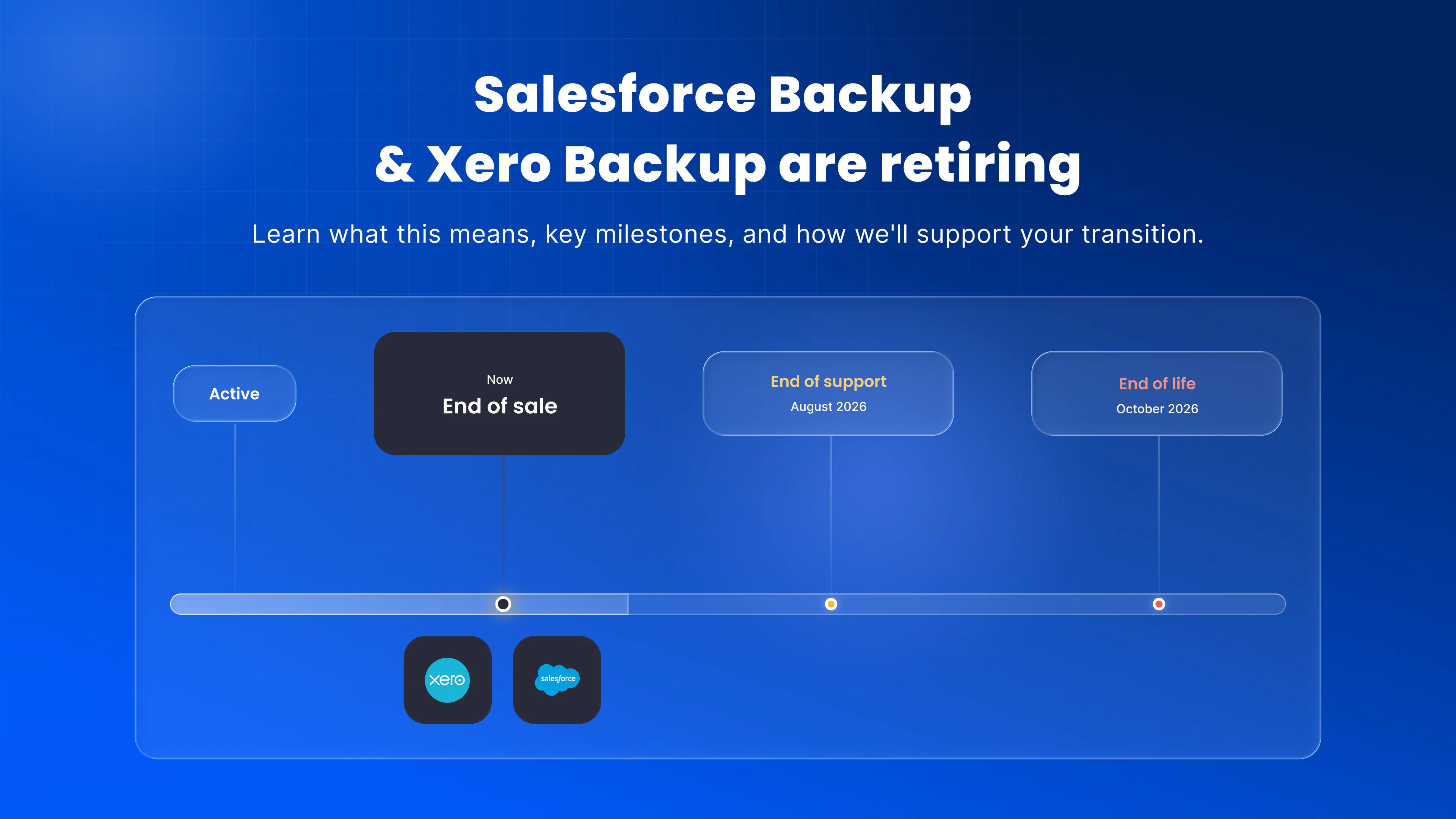
The Backup & Recovery products for Xero and Salesforce are being retired.
- These products are no longer available for new sales as of 28 May 2026.
- Existing customers can continue using the products until the planned end of support date in August 2026.
- The products will reach end of life from October 2026.
We will support customers with data egress from the CyberSentriq platform at no additional cost, and we can provide guidance on alternative solutions where required.
We recommend reviewing your protected Xero and/or Salesforce data to determine what you need to export before the products reach end of life.
Please contact your account manager or our Support team if you have any questions.
Product Highlights
June 19th, 2026 Update
Get more visibility into Azure VM restores
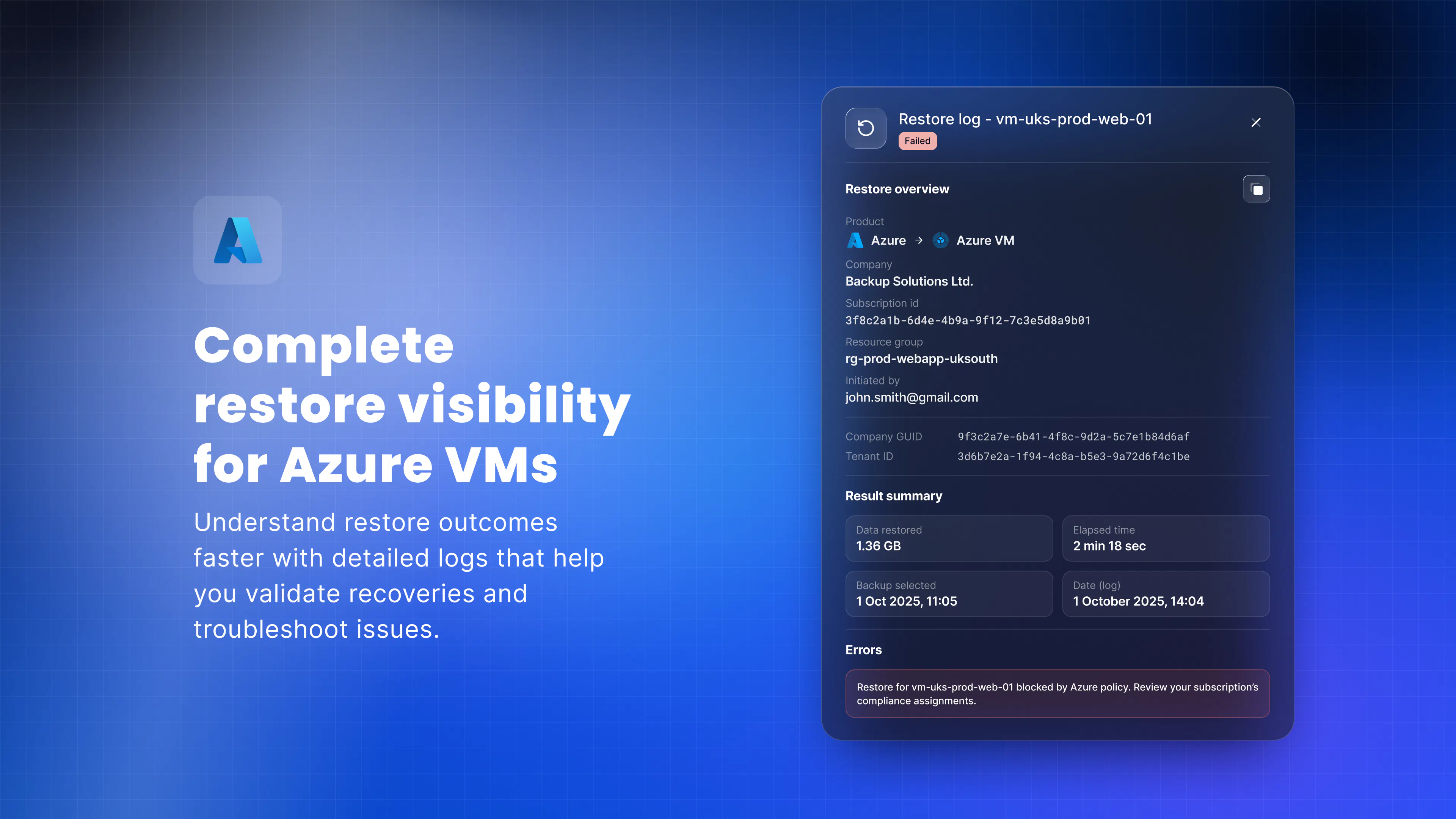
You can now view detailed restore logs for Azure Virtual Machines, giving you clear insight into what happened during a restore and helping you troubleshoot issues faster.
When a restore succeeds, you need confidence that everything completed as expected. When it fails, you need to understand why.
With restore logs, you can now:
- See whether a restore completed successfully or failed.
- Identify the reason for failures without needing investigation.
- Quickly find and copy key restore details to support troubleshooting or raise a support ticket.
- Reduce downtime by resolving issues faster.
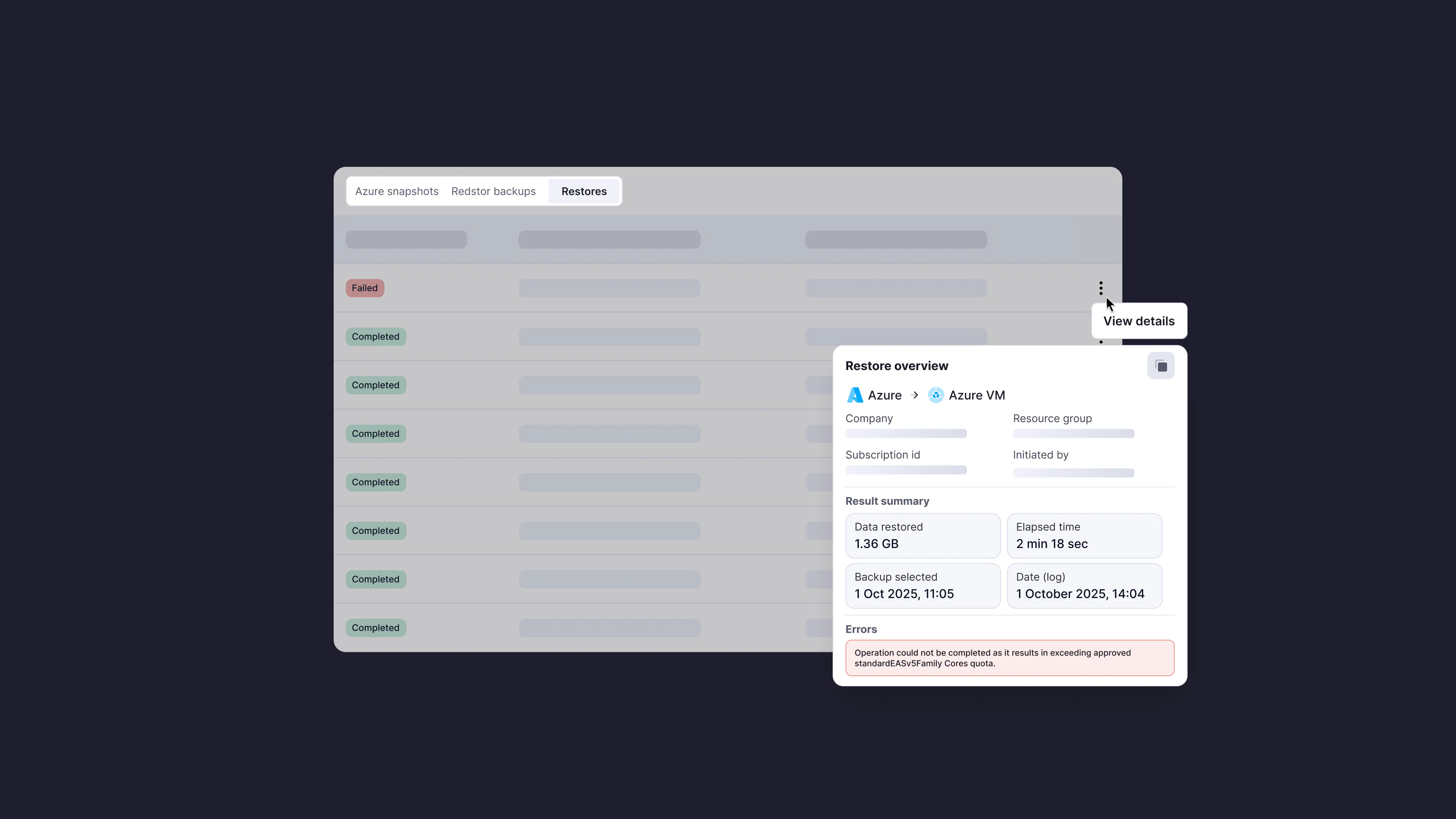
The new restore log panel gives you a complete view of your restore activity in one place, helping you validate successful recoveries and quickly diagnose issues when they occur. To access it, open the Restore tab for an Azure VM and select View details next to any restore.
For more details, see Recovery troubleshooting in the knowledge base.
We'd love your thoughts
With Azure VM restore logs now available, we're keen to know:
- Has this made it easier to understand and troubleshoot restore failures?
- Have you encountered any restore errors where the information provided wasn't enough to understand what went wrong or what to do next?
Product Highlights
June 19th, 2026 Update
Restore SharePoint items with their original permissions
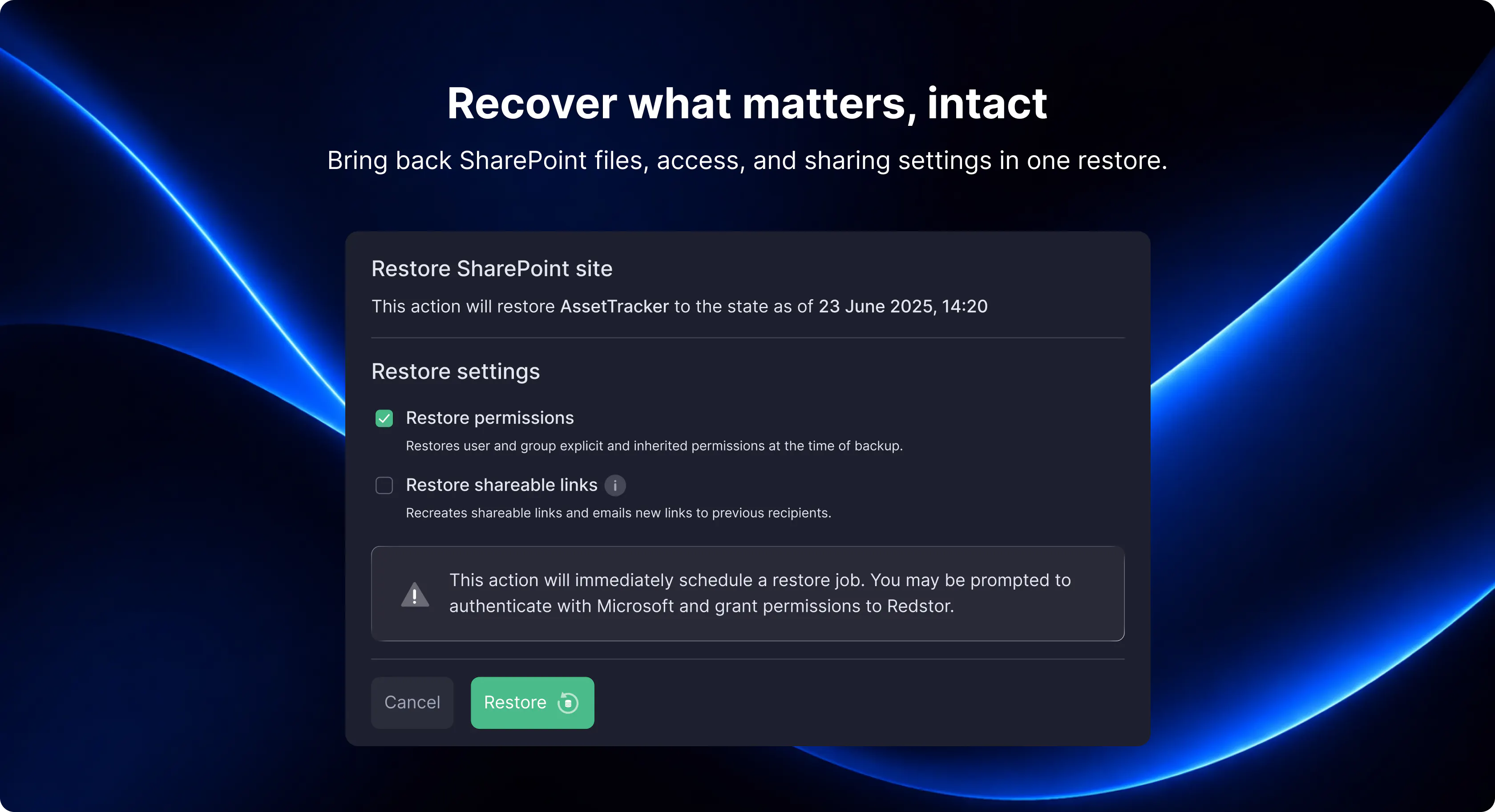
You can now back up and restore SharePoint item permissions alongside your data. This gives you a faster, more reliable way to recover from accidental deletion, cyberattacks, or human error—while helping you restore access from the point of backup.
Why this matters
When something goes wrong, restoring files is only part of the job. You also need people to regain appropriate access. This update helps you:
- Maintain data security by restoring key access controls.
- Support audit and governance requirements.
- Recover faster without manually rebuilding permissions.
- Reduce risk from misconfigured access after a restore.
What’s included
Your backups now capture SharePoint item permissions, including:
- sharing links granted to specific users
- inherited permissions
- explicit permissions
This allows you to restore permissions from a selected backup to the original destination or a new site, helping you re-establish access to your data.
For more details, see SharePoint Permissions in the knowledge base.
We'd love your thoughts
With permission backup and restore now available, we’re keen to learn:
- Has this update made it easier to get users back to the right level of access after an issue?
- What additional permission scenarios would you like to see covered in future updates?
Product Highlights
May 11th, 2026 Update
What's new in Email Security?
Email remains the number one attack vector for businesses of all sizes, and the threats keep evolving.
Whether you're already using Email Security or exploring what unified email security could look like for your clients, these updates are designed to give MSPs and administrators more visibility, more control, and more confidence across their email security stack.
What's new
Email history
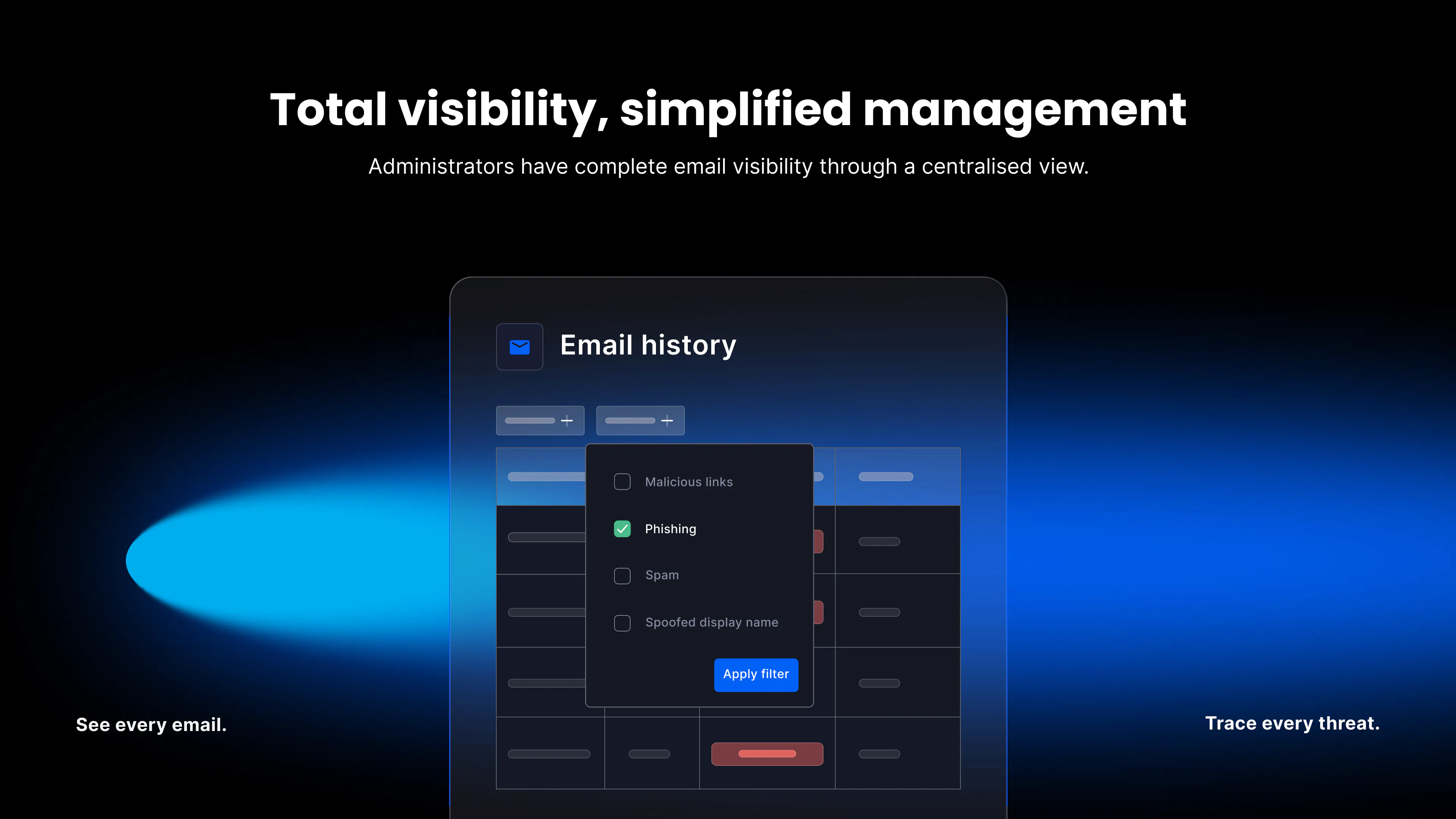
Getting to the bottom of a mail flow issue or investigating a potential threat means having access to the right data, fast.
Improved email history gives administrators a clearer, more detailed view of email activity, making it easier to trace delivery, identify anomalies, and respond to incidents without digging around for answers.
For more detail, see Email history in our TitanHQ knowledge base.
Exemptions
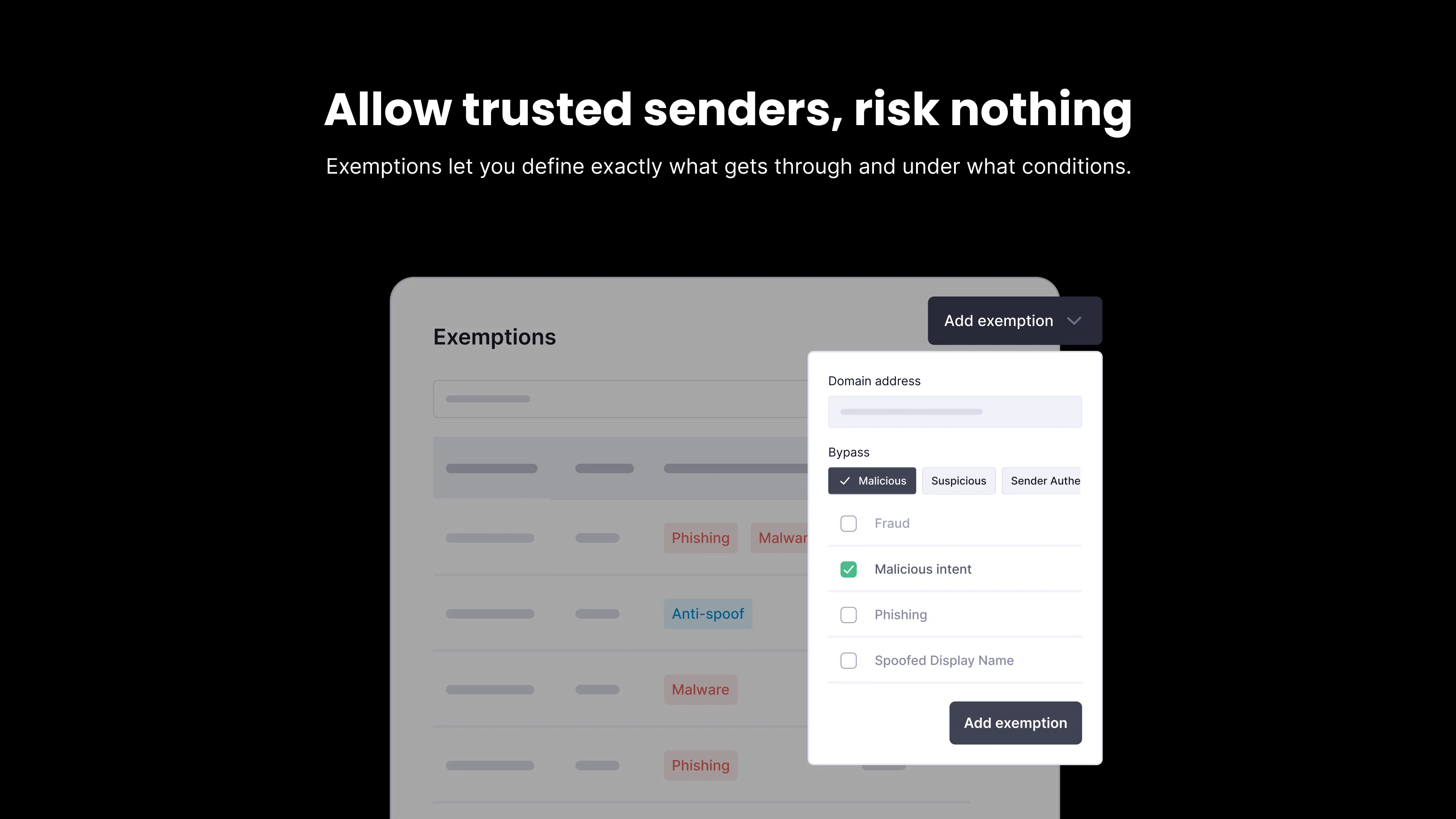
Not every exception is a risk, but treating them all the same is. Exemptions will give administrators more granular control over trusted senders, so you can accommodate legitimate business needs without opening the door wider than necessary.
Whether you're allowing a client's bulk mail provider, a line-of-business application, or a partner domain, exemptions let you define exactly what gets through and under what conditions.
For more detail, see Exemptions in our Titan HQ knowledge base.
AI detection improvements
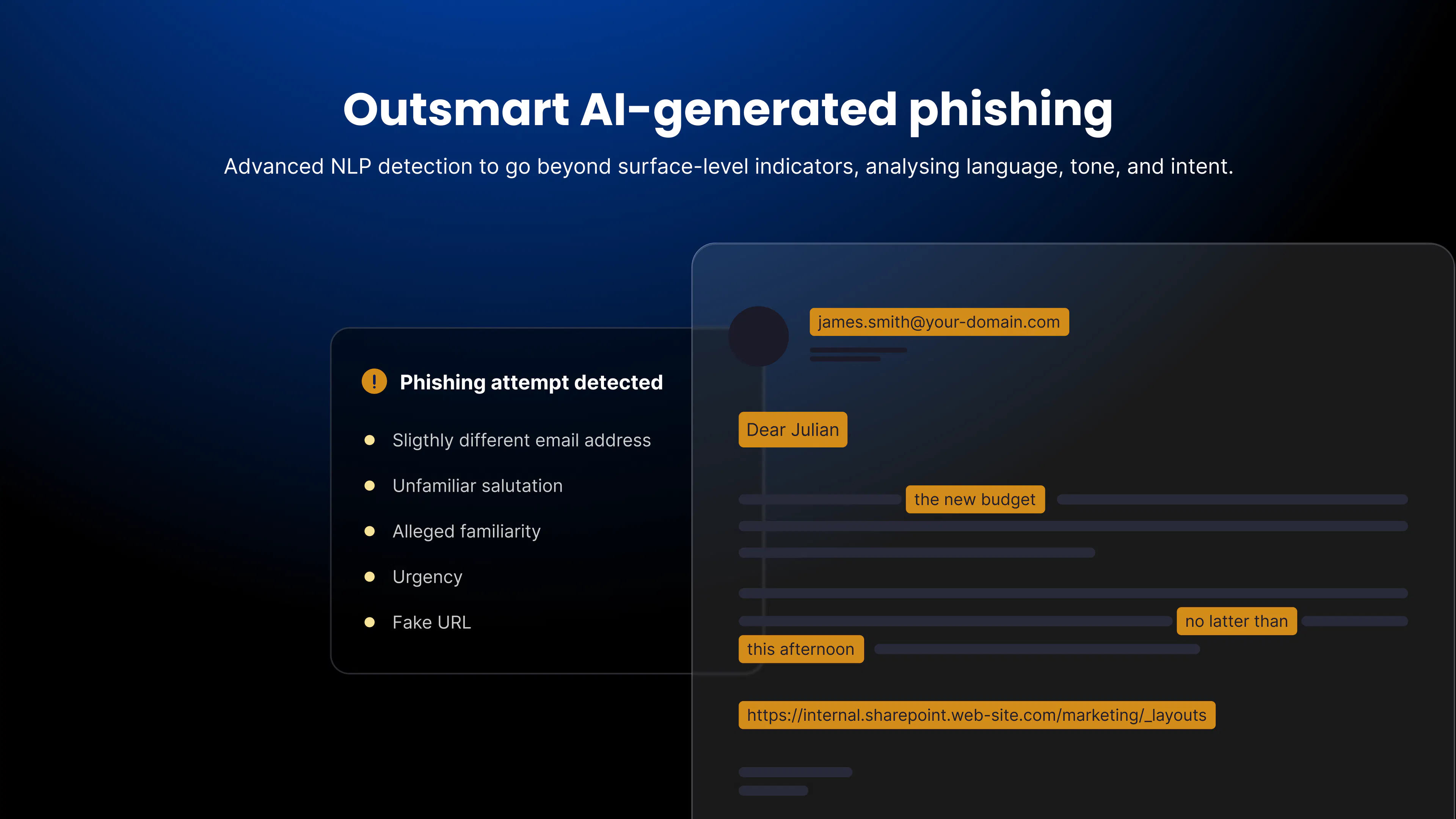
GenAI has made it easier than ever to craft convincing phishing emails that bypass traditional filters. Our real-time NLP detection is being advanced to go beyond surface-level indicators, analyzing language, tone, and intent to catch even the most sophisticated phishing and spear-phishing attempts.
As social engineering techniques evolve, so will our model, continuously strengthening detection without requiring any complex configuration on your end.
New to Email Security?
If you're not yet using our Email Security product and want to understand what it could do for your clients, reach out to your account manager or visit our Email Security product page to find out more.
March 11th, 2026 Update
Integration Highlights
Restore & Comply Bundle Billing
Partners can now view, upgrade, and deploy Restore & Comply bundles directly within the platform. API support is also available, enabling automated provisioning and billing alignment across PSA and financial systems. This helps MSPs simplify operations while maintaining accurate billing.
Cybersecurity Highlights
Customised Warning Banners
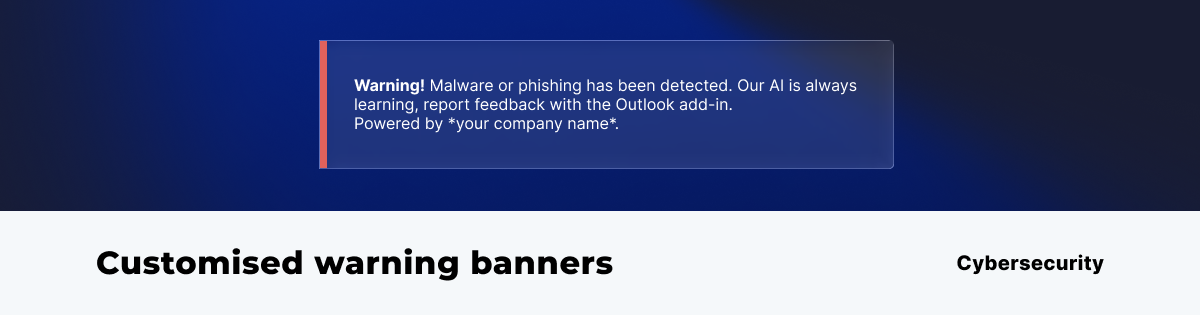 Warning banners can now include the MSP’s name, helping reinforce the MSP’s role in protecting the customer environment while providing clear guidance to end users when a suspicious email is detected.
Full MSP Branding Across the Platform
MSPs can apply their logo and display name across the entire platform with a single click. This ensures consistent branding across security tools and strengthens the MSP’s position as the trusted security provider for their customers.
Feb 12th, 2026 Update
New Email History View: Total Visibility, Simplified Management
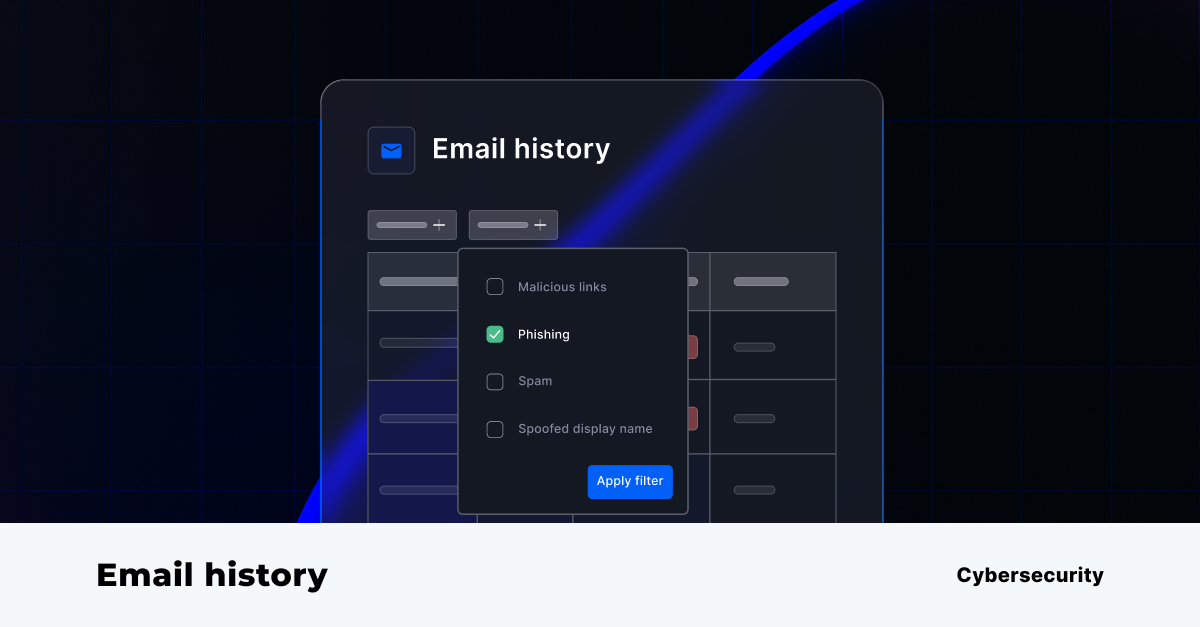
CyberSentriq have introduced a powerful new ‘Email History’ page to the CyberSentriq platform, available at both the MSP and customer levels, giving administrators unprecedented visibility into all email activity analyzed by the platform.
This is a capability that did not previously exist, and it fundamentally improves oversight, troubleshooting, and security confidence.
What’s New?
- Complete email visibility: Administrators can now view all emails processed and analyzed by the platform in one centralized view.
- MSP-level oversight: MSP administrators can see the full list of emails processed across all customer tenants, making it easy to monitor activity, investigate incidents, and demonstrate value at scale.
- Customer-level transparency: Customer admins gain access to their own email history, enabling faster internal reviews, clearer reporting, and greater trust in the protection being delivered.
Benefits for MSPs
- Centralized control across customers: Quickly review email activity across your entire customer base without jumping between tenants.
- Faster incident response & troubleshooting: Easily investigate suspicious emails, validate detections, and resolve customer queries in minutes—not hours.
- Stronger security posture reporting: Use concrete email data to show customers exactly what threats are being analyzed and stopped, reinforcing the value of your managed service.
- Operational efficiency at scale: Reduce support overhead with a single, intuitive view of all processed emails across all customers.
Benefits for SMB Customers
- Greater transparency and confidence: See exactly how email threats are being analyzed and handled, building trust in your security solution.
- Simplified audits and reviews: Quickly access historical email data for compliance checks, internal investigations, or peace of mind.
- Improved collaboration with your MSP: Shared visibility means clearer conversations, faster resolution, and fewer back-and-forth support tickets.
This feature is available to accounts licensed for email security. If your account includes email security, you can start using Email History immediately, no additional setup required.
Quizzes on Security Awareness Training
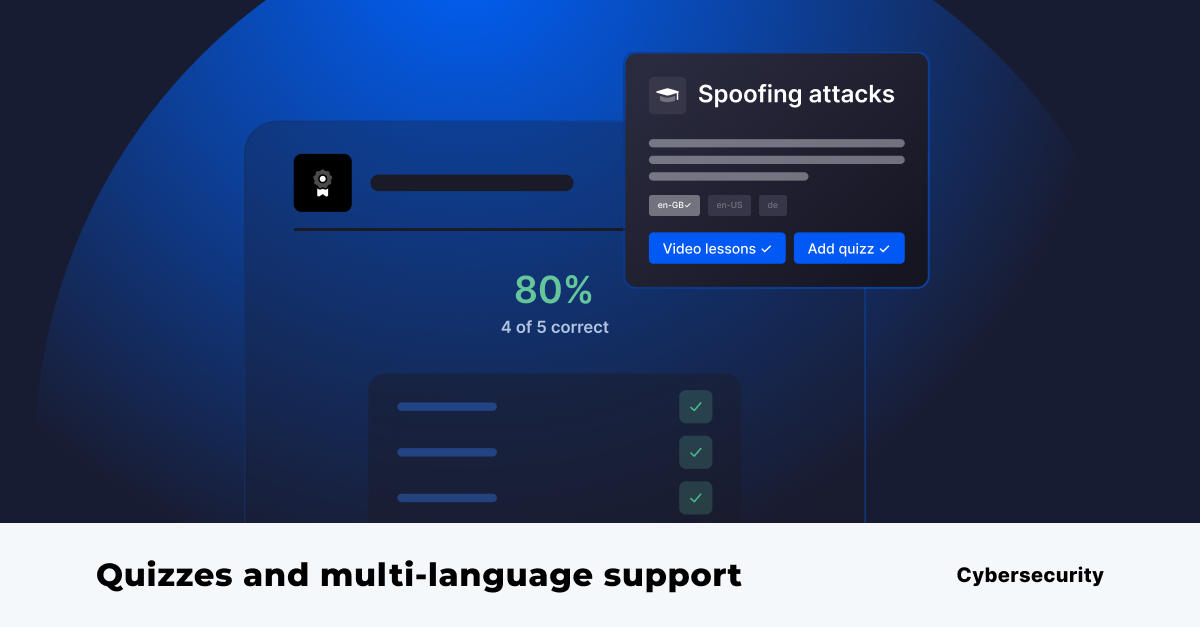 The latest update to SAT introduces quizzes, helping organizations verify understanding, not just completion of training.
This update also includes a newly redesigned training experience, guiding users through a clear and structured flow: Introduction → Training Module → Quiz. Expectations are set upfront, learning is reinforced, and assessment follows immediately to strengthen retention.
An updated lure landing page has also been released, aligned with the new design for a consistent user experience.
With quizzes, admins gain measurable insight into training effectiveness through quiz scores, pass/fail results, and retake data. The experience is simple for users, mobile-friendly, and easy for admins to deploy at scale with no additional config.
This feature addresses common gaps in security awareness training:
- Visibility into training effectiveness: quiz scores and pass/fail results give admins clear, measurable outcomes.
- Compliance and audit gaps: quiz results provide evidence that users understood the training content.
- Low knowledge retention: quizzes reinforce key concepts and help improve recall after training.
Multi-Language Support
Training content is now available in multiple languages, allowing users to complete courses in their preferred language. This improves engagement and makes security awareness training more effective across diverse teams.
What’s Next?
Expanded PSA Integrations
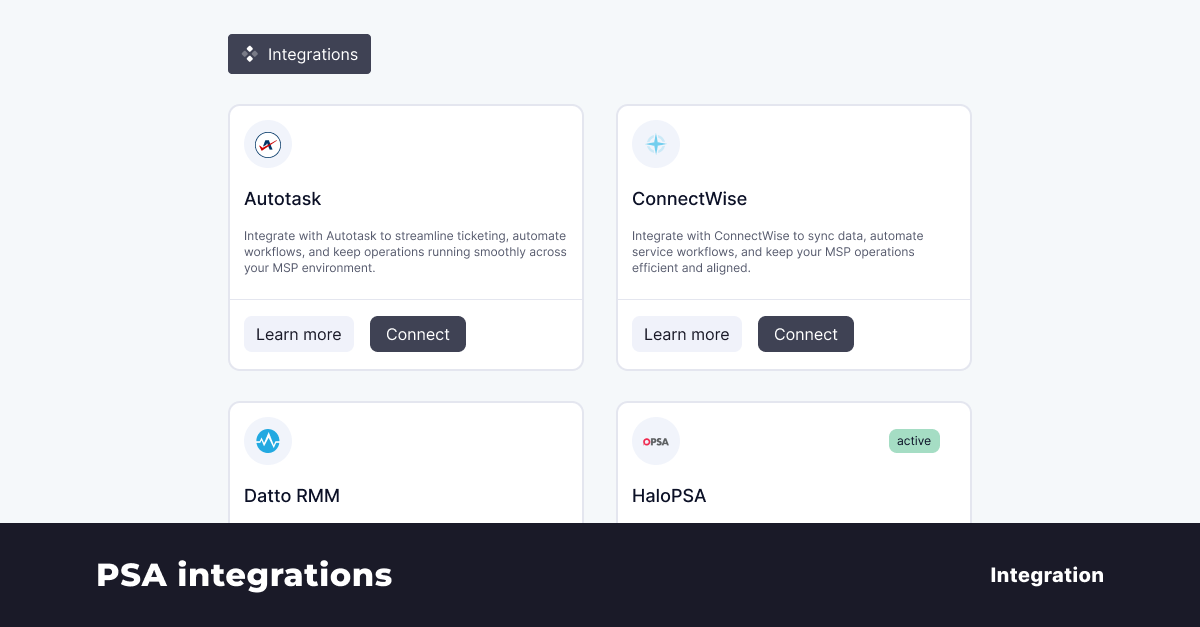 We will extend integrations with HaloPSA, ConnectWise, Autotask, and Syncro. These updates will allow MSPs to automate workflows, reduce manual administration, and keep service management aligned with their security operations.
Detection Enhancements
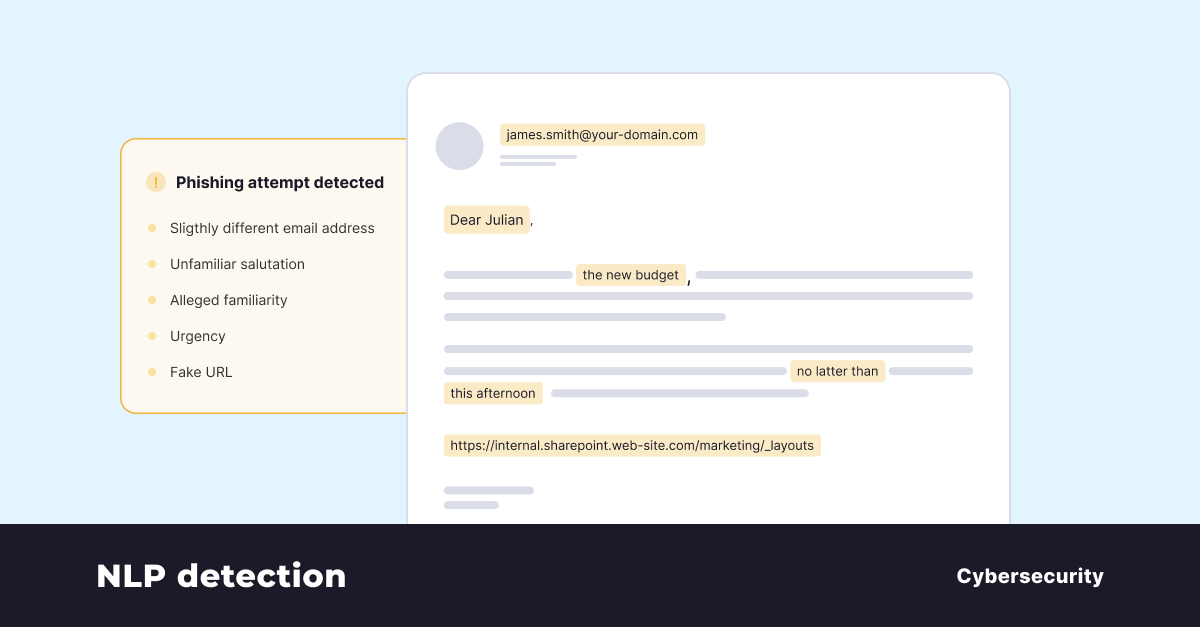 It’s never been easier to create highly convincing phishing emails with GenAI. That’s why we’re advancing our real-time NLP detection to go beyond surface-level indicators, analysing language, tone, and intent to identify even the most sophisticated phishing and spear-phishing attempts.
As social engineering techniques evolve, so does our model, continuously strengthening phishing detection without requiring complex configuration.
Unified Email Security (ICES + MX Integration)
We are introducing deeper integration between Phishing Protection and the Secure Email Gateway. This combines MX-level filtering with API-based detection through ICES, creating a layered defence that stops threats before and after they reach the inbox.
End User Access
End users will gain controlled access to:
- Personal quarantine
- Email reports
This gives users visibility while reducing the administrative burden on MSPs.
Allow List Exemptions
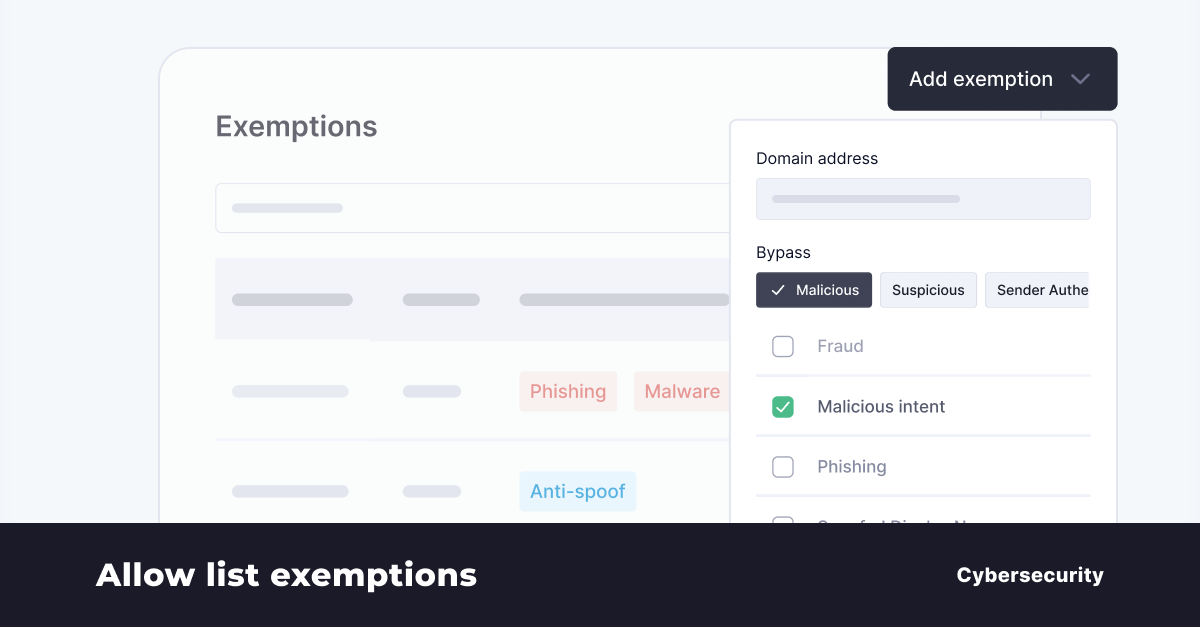 An upcoming enhancement to Allow List functionality, Exemptions will provide administrators with more granular control when allowing trusted senders.
System Lure Management
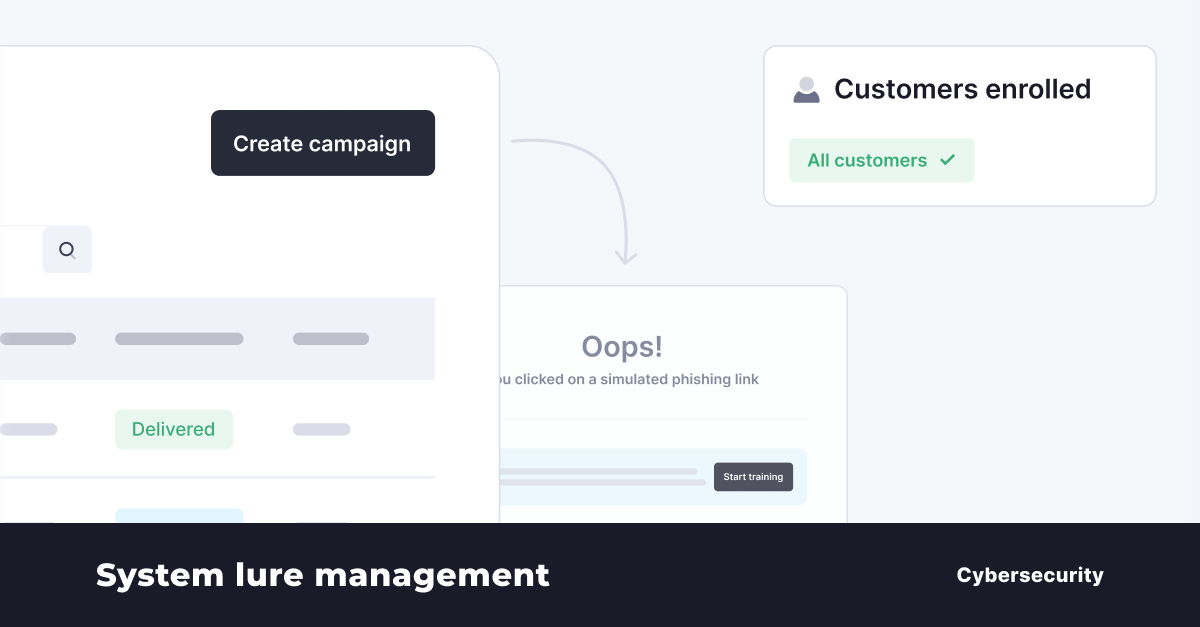 Administrators will gain greater control over phishing simulations. MSPs will be able to preview and select system lures and filter them by:
- Region
- Complexity
- Category
This enables more targeted phishing simulations and better training outcomes.
Data Protection: Advanced Backup & Recovery
Machine Backup – Expanded OS Support
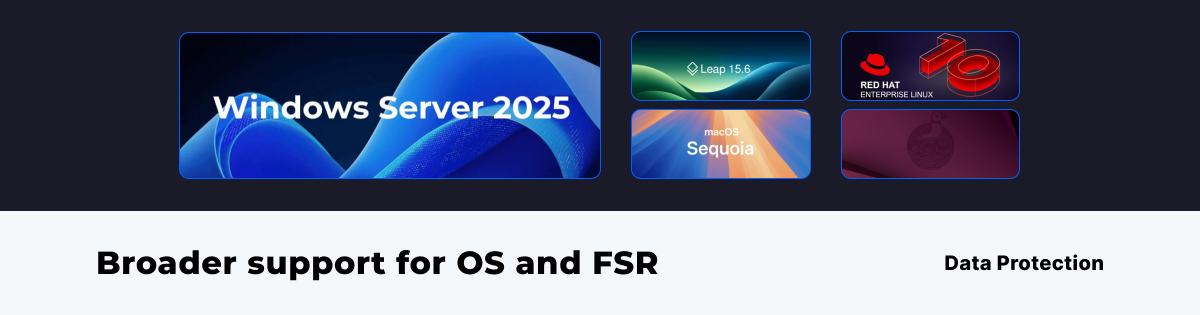
Machine Backup now supports the latest Windows, macOS, and Linux distributions, ensuring continued protection as operating systems evolve. Updates also expand File System Recovery (FSR) coverage and strengthen security compatibility.
Scheduled Reporting
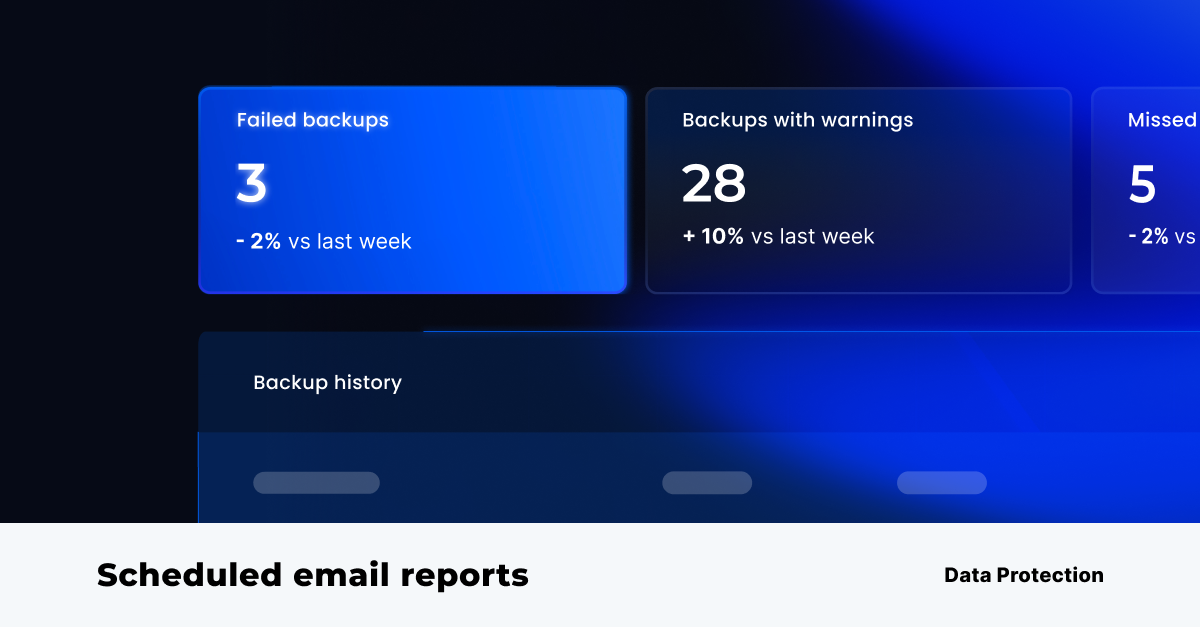 Partners and customers can now create, configure, and schedule email reports directly from RedApp, providing clearer operational visibility and easier customer reporting.
SharePoint and OneDrive Permission Recovery
When restoring SharePoint data, administrators can now recover permissions and shareable links alongside files, eliminating the need for time-consuming manual reconfiguration across:
- Microsoft SharePoint
- Microsoft OneDrive
For partners, this means faster, more complete recoveries with less hands-on effort, helping your customers get back to business quickly in any disaster recovery or data loss scenario.
Bring Your Own Key Vault
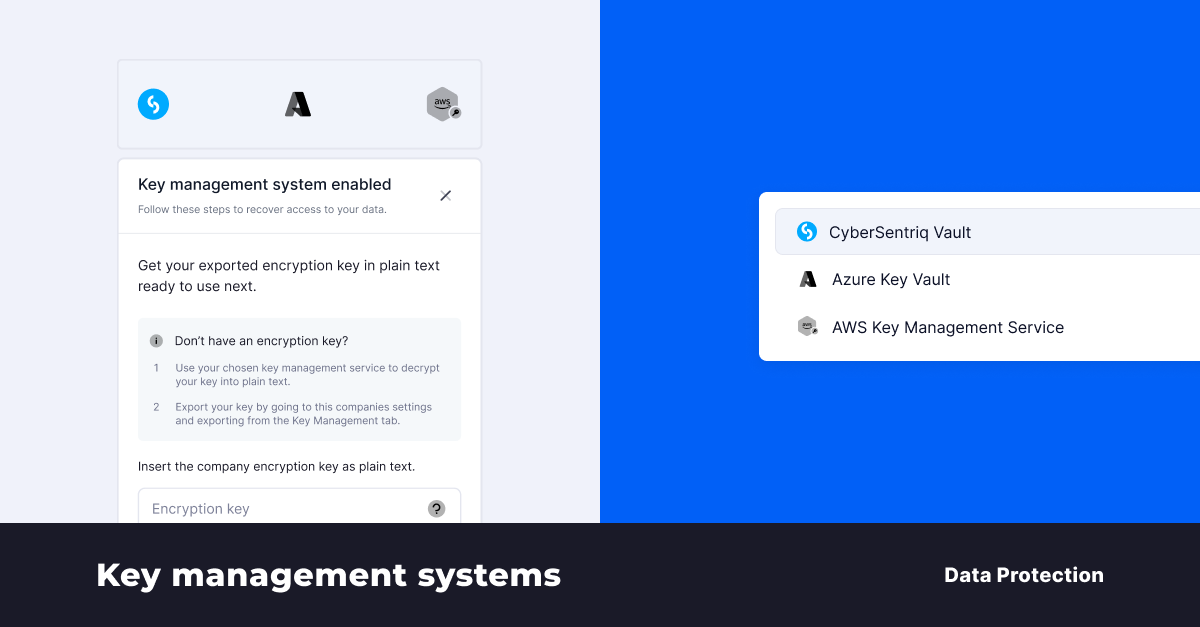 Customers can now use their own key vault to store backup encryption keys, providing MSPs with full control over encryption management and security policies.
These new features enable organizations to implement additional layers of security and data access control. They are particularly useful for scenarios where companies need to provide their customer organizations with additional assurance of data access exclusivity, ensure cloud service independence, or increase resilience against cloud outages.
Organizations can integrate an external key management service using Azure Key Vault, AWS KMS, or continue to use CyberSentriq's System Key Vault. This integration is compatible with Microsoft 365, Microsoft Entra ID, and Google Workspace products. Access to encrypted data is strictly controlled through the chosen key management system, ensuring only authorized users within the KMS can access the data.
Administrators can securely export a master encryption key as a contingency measure. This ensures data remains accessible in the event of cloud service disruptions or temporary KMS inaccessibility.
These capabilities are designed for organizations with stringent data governance requirements, cloud service strategies, or regulatory obligations related to access exclusivity and cloud service independence.
What’s Next
Improved Backup Selection
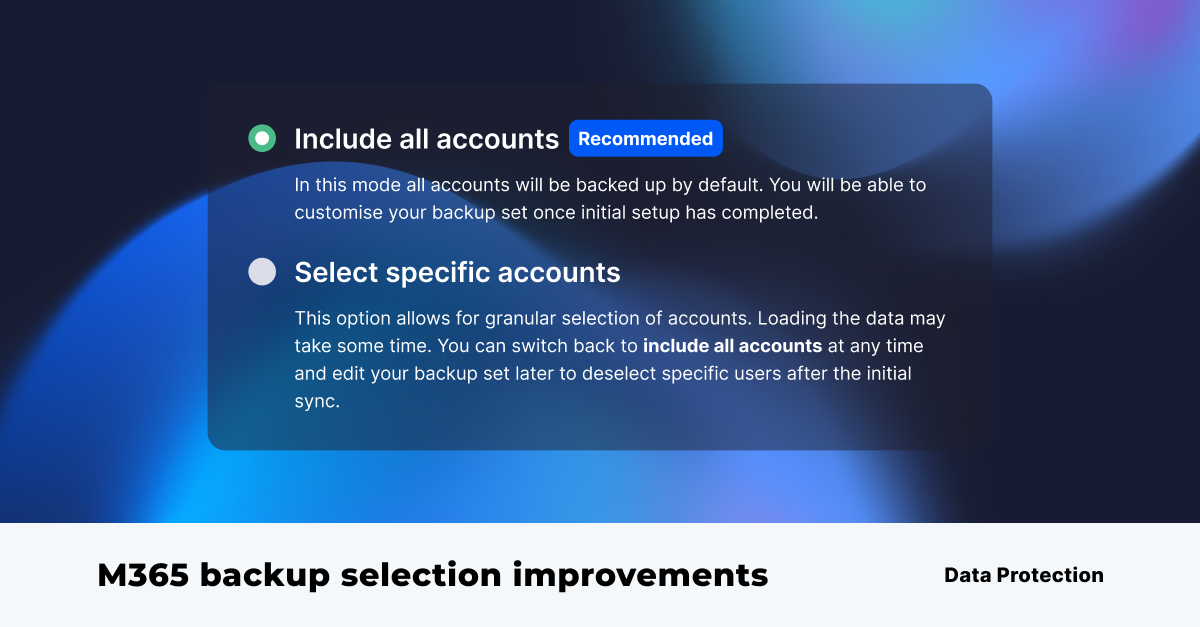 Selecting backup data will become clearer and faster with:
- Improved confirmation workflows
- Expanded tenant visibility
- More responsive account displays
Unified Login & App Switching
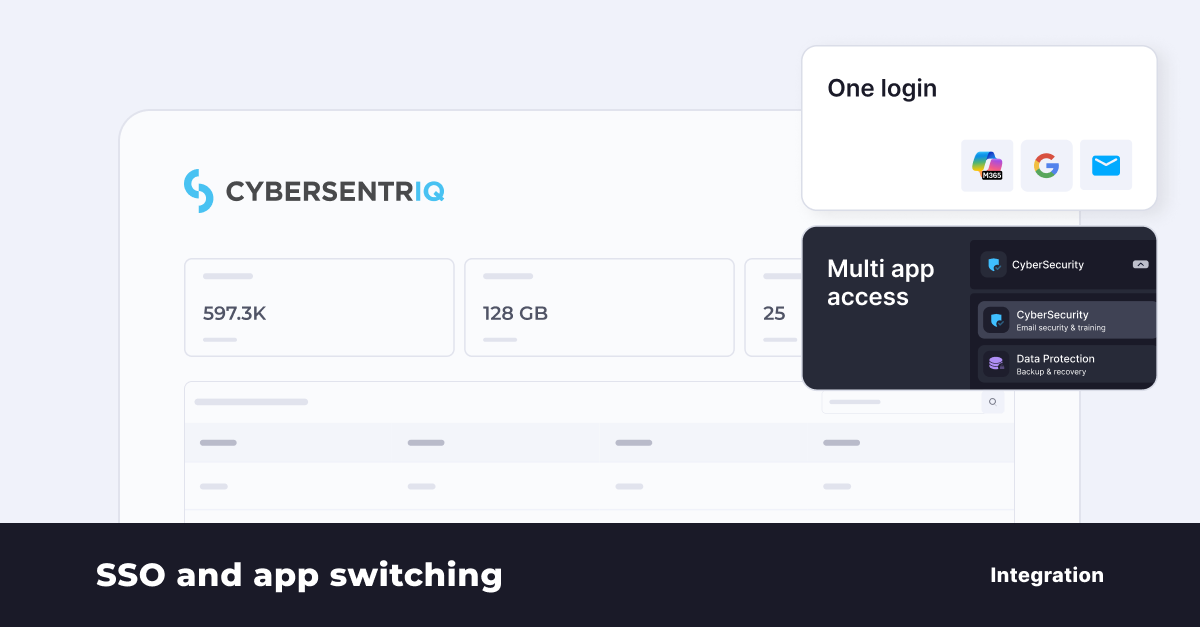 We’re rolling out Unified Login across TitanHQ and Redapp platforms. Soon, users will be able to:
- Access both platforms with a single set of credentials
- Authenticate seamlessly using Microsoft, Google, or email/password credentials
- Reduce password reset requests and speed up customer onboarding
- Enjoy a consistent, unified login experience
Bring Your Own Identity Provider: Organizations will be able to use their own SSO via Microsoft Entra ID, OKTA, or any SAML-compliant provider.
Enhanced Security: MFA, step-up verification, authenticator apps, and passkeys will protect every account, with sensitive actions requiring fresh identity confirmati
Jan 26th, 2026 Update
M365 Permissions BackUp & Recovery
Backing up data is only part of the picture. To truly maintain security and meet compliance requirements in Microsoft 365, organizations also need the ability to back up and recover SharePoint and OneDrive permissions with precision.
CyberSentriq now extends its Microsoft 365 protection by automatically backing up SharePoint permissions for all new SharePoint data backups initiated from the RedApp (available in our early access program). This ensures that managed access and security controls can be accurately restored alongside your data.
Important: Permission restoration is only available for backups completed after this feature is enabled. Permissions cannot be restored from SharePoint backups taken prior to this release.
When recovering SharePoint data using the RedApp, you will be prompted to configure restore settings. At this stage, you can choose to:
- Restore permissions (enabled by default)
- Restore shareable links (optional)
These options apply to both full site recoveries and individual item-level restores, giving you granular control over how data and access rights are reintroduced into your environment.
By protecting permissions alongside data, CyberSentriq helps ensure that restored content remains secure, compliant, and accessible only to the right users, without manual reconfiguration. Recovery is fast, simple, and frictionless, reducing operational burden and accelerating time-to-value.
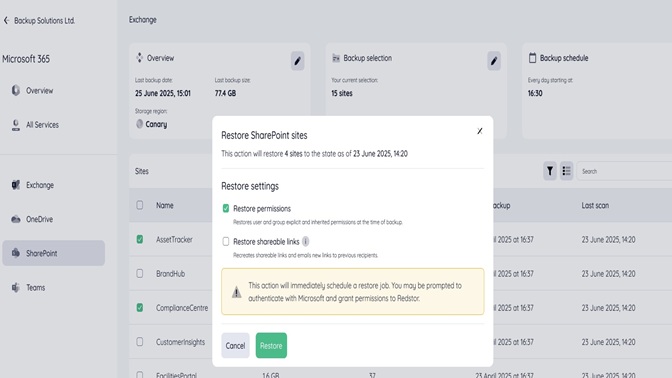
SharePoint permissions and sharing links recovery is now available. Please keep an eye out for the next update on protecting OneDrive permissions, which will be included as part of the Microsoft 365 backup product we are launching in the next few weeks.
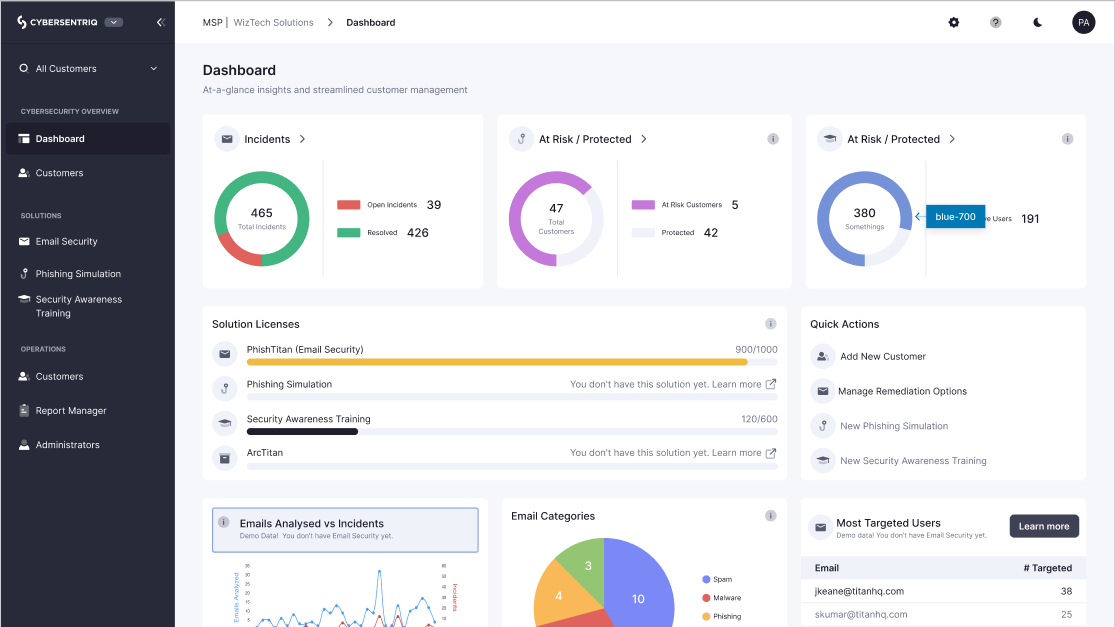
Q4 2025 Product Updates
- Email Security Enhancements
- Security Awareness Training Enhancements
- Platform Enhancements
Q3 2025 Product Updates
- Email Security Enhancements
- Enhanced End User Configurations
- Enhanced Remediation Control
Ready to get started?
