Protect the data and identities behind everyday work

Matthew Miller
Product Marketing Manager

Trusted by 3,000+ MSPs worldwide




The challenge
Plan for the return to usable work, not just the return of a backup.
The problem
A customer loses Microsoft 365 information or access after deletion, an unwanted change or a security incident.
Why it happens
Business data lives across mailboxes, files, sites and collaboration spaces, while Entra ID governs supported identity objects and access. Restoring the data and restoring an identity configuration are related tasks with different checks.
If it stays unresolved
Employees may remain unable to work, administrators may have to reconstruct settings manually, and a completed data restore may still leave the intended person without access.
How the products help
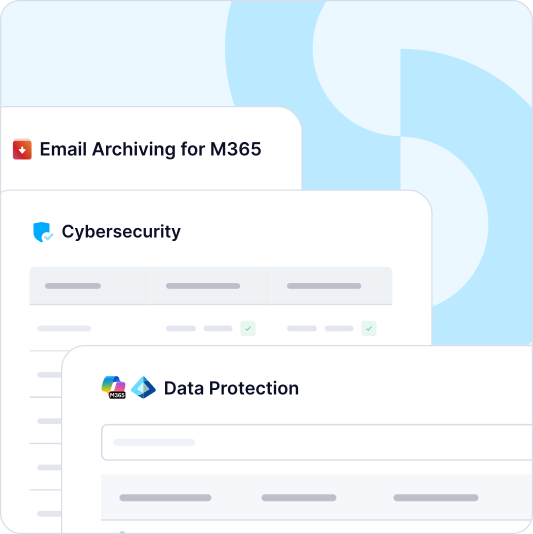
Microsoft 365 Backup protects supported Exchange Online, OneDrive, SharePoint, Teams and OneNote data through automated backup, with immutable off-site copies and applicable granular or broader restore paths. Entra ID Backup protects supported identity objects and recoverable attributes, with version history and comparison for supported user configurations. Both sit within the MSP's coordinated recovery plan: identify the affected scope, restore what the products support, then check permissions, application dependencies and the customer's ability to work.


Test data and access as one customer task
Data and identity have different restore paths, but the customer experiences them together. A recovered SharePoint file does not resolve an outage if the intended user still cannot reach the site. A restored user or group does not recover a deleted document. MSPs can design one test around the complete task: identify the data, restore the supported item or object, verify permissions and ask the user to complete the work.
That makes coverage conversations more precise. Document which Exchange, OneDrive, SharePoint, Teams and Entra ID objects are in scope, and distinguish backup inclusion from restore support for a particular identity attribute. The MSP can then make a clear service commitment and reduce manual reconstruction where supported. In customer reviews, report the tested business task and any dependency that failed, not only the number of protected objects.
Recover important Microsoft 365 information
Automated cloud-to-cloud backup and restore cover supported data in Exchange Online, OneDrive, SharePoint and Teams. Depending on the workload and recovery target, your team can recover a single item, a mailbox, a site or a broader workload. Define the customer's essential mail, files and collaboration data, then test representative restore paths. That creates a clear service commitment grounded in the workloads the customer actually uses.

Email Protection Built for MSPs
of spam, malware and malicious email blocked before it reaches the inbox
MSPs worldwide trust CyberSentriq to protect their customers
each user receives a unique, randomised phishing simulation
of cybersecurity expertise behind the CyberSentriq platform
Include supported identity objects in recovery planning
An accidental deletion or unwanted change to a user, group, role or policy can disrupt access even when the underlying files remain intact. Entra ID Backup provides backup for supported objects and configurations, granular recovery where available, and change comparison for supported user configurations. Your team can review available versions before choosing what to restore. Confirm the object type, attributes, permissions and restore options during service design, and test them before an incident.
Verify that the customer can use what you restore
A completed restore is one step. Your runbook should also confirm that the intended user can sign in, reach the relevant application and access the recovered information with appropriate permissions. Bringing data and identity recovery into the same plan helps your team find dependencies before they prolong an outage.


An identity change in practice
An administrator mistakenly deletes or changes a supported Entra ID object and a team loses access to its working information. The MSP identifies the affected object and attributes, compares available versions, confirms the necessary authority and uses the supported recovery path. It then checks the relevant Microsoft 365 data, permissions and application access with the customer. Both the restore and the final user check matter: together they distinguish a technically successful backup job from completed business recovery.