Individual Feature Content
You can now view detailed restore logs for Azure Virtual Machines, giving you clear insight into what happened during a restore and helping you troubleshoot issues faster.
When a restore succeeds, you need confidence that everything completed as expected. When it fails, you need to understand why.
With restore logs, you can now:
- See whether a restore completed successfully or failed.
- Identify the reason for failures without needing investigation.
- Quickly find and copy key restore details to support troubleshooting or raise a support ticket.
- Reduce downtime by resolving issues faster.
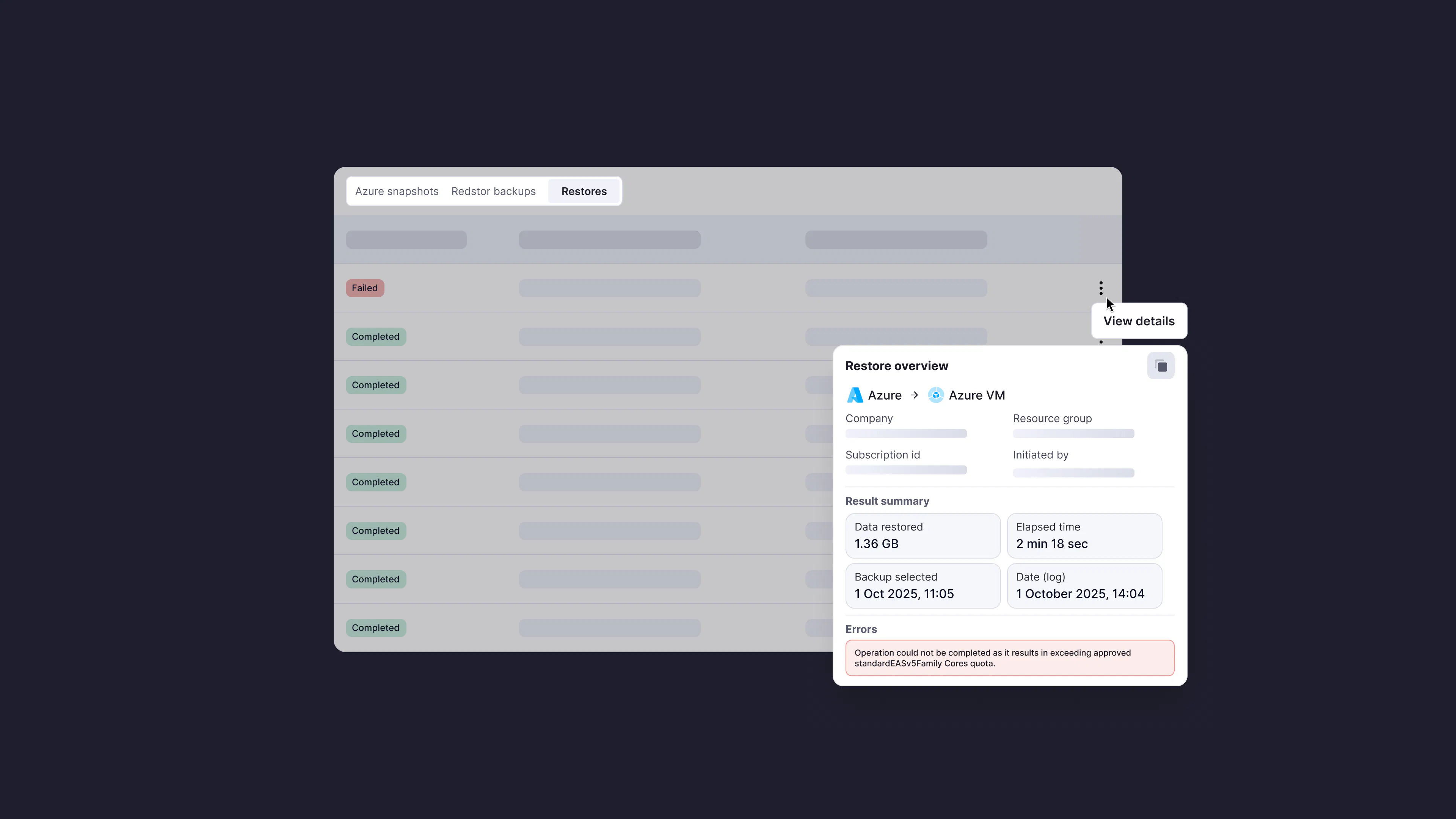
The new restore log panel gives you a complete view of your restore activity in one place, helping you validate successful recoveries and quickly diagnose issues when they occur. To access it, open the Restore tab for an Azure VM and select View details next to any restore.
For more details, see Recovery troubleshooting in the knowledge base.
We'd love your thoughts
With Azure VM restore logs now available, we're keen to know:
- Has this made it easier to understand and troubleshoot restore failures?
- Have you encountered any restore errors where the information provided wasn't enough to understand what went wrong or what to do next?