
Implement Third-Party Backup Solutions
Google Workspace Backup Recovery Best Practices
Dedicated SaaS backup platforms provide the recovery capabilities most MSPs need to protect customer environments effectively. Unlike Google Vault, purpose-built backup tools operate independently of the source tenant, ensuring recovery remains available even when the primary environment is compromised.
Key capabilities should include:
- Automated backups
- Granular recovery
- Long-term retention
- Immutable storage options
- Centralized multi-tenant management
A strong backup strategy improves operational resilience while helping MSPs deliver more consistent customer outcomes.
Common Google Workspace Backup Mistakes That Leave MSPs Exposed
Choosing Google Workspace Backup Platforms
When evaluating backup platforms for Google Workspace, MSPs should prioritize scalability, recovery granularity, ransomware resilience, and management visibility across all customer tenants.
Key evaluation criteria include:
- Granular recovery to the item, folder, and account levels
- Multi-tenant management from a single console
- Flexible retention policies configurable per customer
- Immutable backup storage resistant to deletion and ransomware
- Centralised reporting for SLA delivery and compliance evidence
The right platform should reduce management overhead, support consistent SLA delivery, and give MSPs the visibility they need to demonstrate recovery readiness to customers before an incident forces the conversation.

Google Workspace Backup Recovery Mistakes
Relying Entirely on Google Vault
Google Vault is often mistaken for a backup solution, but it is designed for eDiscovery, legal hold, and compliance. It cannot restore deleted files to their original location, recover damaged Drive structures, or roll back ransomware attacks. Relying on Vault alone can leave MSPs and their customers exposed to significant recovery gaps.
Ignoring Shared Responsibility Education
Many customers assume Google guarantees full recovery of SaaS data, which creates risk for MSPs when those expectations are not met. MSPs should explain the difference between Google's infrastructure protection and data-level backup, including native recovery limitations. Clear education builds trust, reduces disputes, and positions MSPs as strategic advisors focused on resilience and business continuity.
Failing to Secure Administrator Accounts
Compromised administrator accounts can have devastating consequences in Google Workspace, enabling data deletion, policy changes, audit log tampering, and broader compromise. MFA, privileged access controls, just-in-time administration, and regular access reviews are essential safeguards. If a backup can be deleted by a compromised admin account, it cannot be considered a reliable recovery solution.
Skipping Regular Recovery Testing
Backup setup is not verified recovery. MSPs should regularly test restores for files, shared Drives, Gmail messages, and full accounts against agreed RTOs, then document results for customers. Untested backups create risk, weaken trust, and often fail when incidents happen. Verified recovery helps MSPs protect customers and prove operational value.
Treating Backup as a Set-and-Forget Service
Google Workspace environments change constantly as users, shared Drives, and integrations are added. MSPs that do not review backup coverage regularly risk gaps developing unnoticed. Quarterly audits and automated alerts help ensure new accounts and Drives are protected, maintaining recovery readiness and reducing operational risk.

The Biggest Google Workspace Recovery Risks
- Workspace Recovery Risks
Google Workspace is critical for most SMBs, but data loss can still occur due to user errors, malicious activity, or security incidents. MSPs need reliable backup recovery to protect customer operations and maintain business continuity.
- Accidental Deletion
Users regularly delete emails, files, calendars, and contacts by mistake. Native recovery options are limited, and permanently deleted data may be impossible to recover without dedicated backups.
- Ransomware and Malware
Ransomware can quickly spread through synchronized Google Drive environments, encrypting files across users and devices. Version-controlled backups enable rapid recovery and reduce disruption.
- Insider Threats
Employees may intentionally delete or alter business-critical data. Effective backup, retention, and auditing controls help MSPs recover data and reduce risk.
- Misconfigured Retention Policies
Incorrect retention settings can lead to premature data deletion, compliance failures, and increased operational risk.
Why Google Workspace Resilience Does Not Guarantee Data Recovery
Native Google Workspace Protection Is Not Enough
Google provides infrastructure resiliency, but resiliency alone is not the same as backup recovery. Many organizations incorrectly assume that Google fully protects their business data against every recovery scenario. In reality, native capabilities have important limitations, particularly for MSP-managed environments.
Common limitations include:
- Limited long-term recovery windows
- Incomplete granular recovery options
- Limited ransomware recovery capabilities
- Complex retention management
- Reduced multi-tenant visibility for MSPs
MSPs should help customers understand the shared responsibility model and explain why SaaS availability does not replace dedicated SaaS backup protection.

Google Workspace backup and recovery is no longer optional
Why Google Workspace Recovery Matters
Google Workspace backup recovery should now be treated as a core cybersecurity and business continuity service. As SaaS adoption continues to grow, the ability to protect and rapidly recover cloud data is becoming increasingly important for both operational resilience and customer trust.
The most effective MSPs focus on:
- Recovery readiness
- SaaS security education
- Immutable backup strategies
- Identity protection
- Automated recovery testing
- Long-term compliance alignment
Strong SaaS recovery capabilities help MSPs reduce customer disruption, strengthen retention, and create long-term recurring revenue opportunities through trusted cybersecurity services.
Book a demo today to see how integrated SaaS backup recovery, identity protection, and ransomware resilience can help your MSP protect customer data and simplify cloud recovery operations.
Designed to help MSPs deliver reliable cyber resilience services efficiently and at scale.
Built for MSP Operations
CyberSentriq is designed for MSPs, making it easy to deliver cyber resilience services at scale. Manage multiple customers from a single platform, deploy protection quickly, and reduce infrastructure overhead with predictable costs and managed storage.
- Helping MSPs Grow and Differentiate
CyberSentriq helps MSPs move beyond backup to deliver complete cyber resilience services.
- Grow recurring revenue
Offer backup and identity protection as a managed service.
- Improve margins
Reduce operational effort through automation and platform consolidation.
- Increase customer retention
Build trust with reliable recovery when incidents occur.
- Stand out from competitors
Protect both business data and identity through a single solution.
CyberSentriq helps MSPs protect customers, recover faster, and grow with confidence.

Fast Recovery. No Disruption
Backups completed every day. Powering automated backups at scale, trusted where downtime isn’t an option.
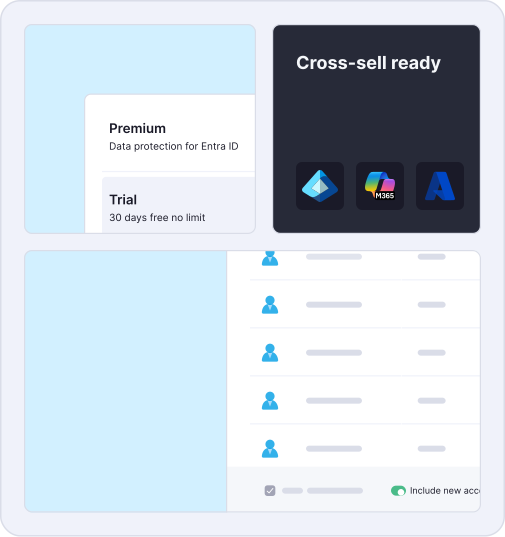
Microsoft recycle bins retain data for 93 days; we ensure indefinite recovery with unlimited retention.
M365 & Entra ID seats protected daily
Zero Downtime. Users access files instantly while restores run in the background, reducing downtime from hours to seconds.

Protection & Recovery for Google Workspace
What CyberSentriq Backup and Recovery Protects
Google Workspace Workloads
• Gmail mailboxes and attachments
• Google Drive (My Drive) files and folders
• Shared Drives and Google Sites
• Google Chat spaces and messages
• Google Calendar events and Keep Notes
Identity and Access
• Users, groups and organizational Units (OUs)
• Admin Roles and Privileges
• Context-Aware Access policies
• Connected applications and OAuth permissions
• Endpoint management and Google Directory configurations
Granular recovery allows MSPs to restore a single email or document, or recover entire workloads when required. Together, these backups ensure businesses can recover both data and access, restoring operations quickly after incidents.
Built for Fast, Reliable Recovery
Backup only Matters if Recovery is Fast and Predictable.
Delivering reliable Google Workspace recovery is not a configuration task MSPs complete once at onboarding; it is an ongoing operational discipline that requires the right platform, verified processes, and a clear understanding of where Google's responsibility ends and the MSP's begins.
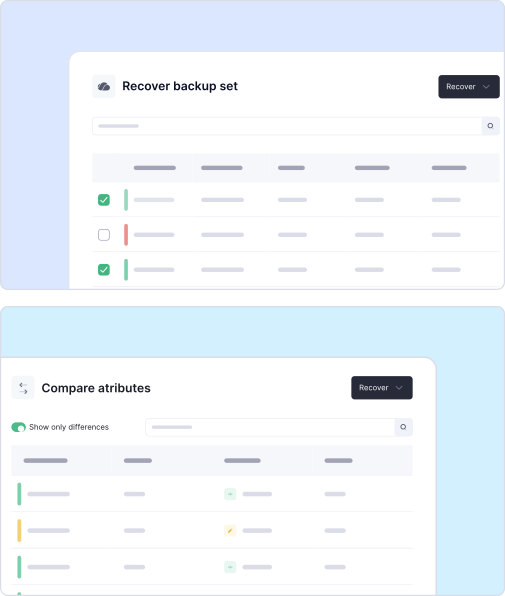
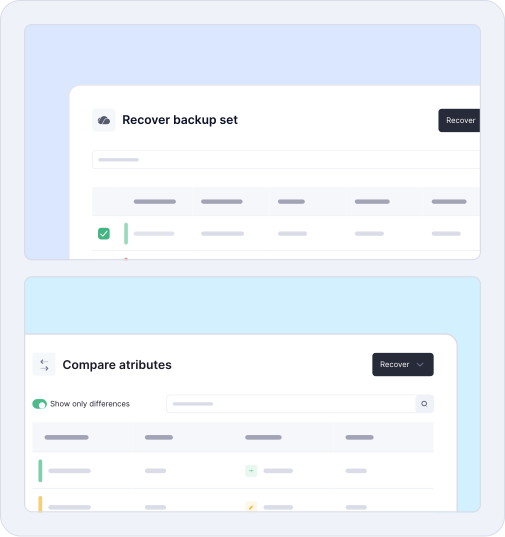
- Granular to full-scale restore - recover individual items or complete Google Workspace workloads, from a single email to a full ransomware recovery.
- Identity change detection - compare the current Workspace Directory and Cloud Identity configurations against previous backup states to catch unauthorized changes early.
- Search, filter, and locate - find specific data objects across all backup sets quickly, cutting time to recovery in high-pressure incidents.
- Secure and isolated by design - immutable storage, AES encryption, RBAC, and MFA ensure backup data cannot be modified, deleted, or accessed by unauthorized parties.
CyberSentriq gives MSPs the control, visibility, and recovery assurance needed to protect every customer environment they manage.
Ready to get started?
