Microsoft 365 Archive Tied to Active Licence
Removing or downgrading an Microsoft 365 license can make archive data inaccessible. CyberSentriq stores archives independently, unaffected by any Microsoft license change or tenant migration.

Microsoft 365 native archiving gaps
Microsoft 365 includes Exchange Online Archiving and In-Place Archive, tools designed for individual mailbox management, not enterprise compliance or MSP-scale multi-tenancy. When a client faces a regulatory audit or litigation hold, those limitations become your problem.
FINRA Rule 17a-4 and SEC rules require non-rewritable, non-erasable storage. Microsoft 365 Preservation Policies do not fully satisfy WORM requirements without additional third-party configuration.
Microsoft eDiscovery requires Glob Admin or eDiscovery Manager roles. MSPs cannot efficiently run searches across multiple client tenants, each requires separate login and configuration.
In-Place Archives are tied to active Microsoft 365 licences. If a licence is removed or a tenant is migrated, archive data can become inaccessible or permanently lost.
A direct feature comparison for MSPs evaluating whether Microsoft 365 native archiving meets their compliance and multi-tenant management requirements.
| Microsoft 365 Native Archiving | CyberSentriq | |
|---|---|---|
| WORM-compliant storage | No | Yes |
| Independent of Microsoft 365 license | No | Yes |
| Multi-tenant MSP console | No | Yes |
| Per-client eDiscovery portals | No | Yes |
| Unlimited retention | No | Yes |
| HIPAA / FINRA / SEC certified | Partial | Yes |
Microsoft native vs independent archive
Microsoft 365 in-place archive is a useful tool for managing individual mailbox storage. It is not a compliance archive. The core risks MSPs need to communicate to clients:
CyberSentriq sits entirely outside the Microsoft 365 tenant, capturing email via journaling, storing it in independent WORM storage, and making it searchable through a single MSP console.


Microsoft 365 mailboxes archived and protected daily on the CyberSentriq platform
Average eDiscovery search response time across a full Microsoft 365 archived mailbox
Archive integrity - independent of Microsoft 365 licence status or tenant configuration changes
Backups completed every day across all Microsoft 365 and Entra ID environments
Removing or downgrading an Microsoft 365 license can make archive data inaccessible. CyberSentriq stores archives independently, unaffected by any Microsoft license change or tenant migration.
FINRA and SEC require non-rewritable, non-erasable email storage. Microsoft Preservation Lock does not satisfy these rules without additional configuration, and regulators may not accept it.
Running eDiscovery across multiple Microsoft 365 tenants requires separate admin logins per client. CyberSentriq gives MSPs a single search console covering all customer archives simultaneously.
Moving a client to a new Microsoft 365 tenant can disrupt or cause loss of In-Place Archive data. An independent archive survives migrations, and data is captured and stored entirely outside the tenant.
Four steps to deploy CyberSentriq alongside Microsoft 365, capturing all email via journaling and storing it in independent, compliance-grade archives from day one.
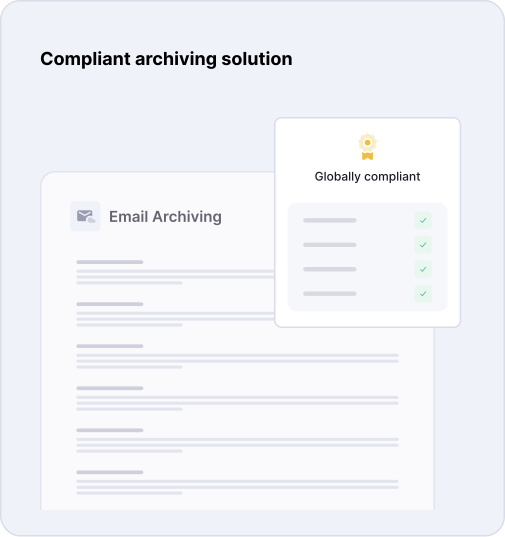
In Microsoft 365, create a journal rule in Exchange Admin Center to route all inbound and outbound email to the CyberSentriq journaling address. This captures all email outside the M365 tenant immediately.
Configure retention periods per client tenant before archiving begins. Apply HIPAA 6-year, FINRA 3–6 year, or custom retention rules matching each client's regulatory obligations.
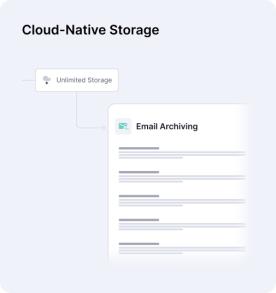
For financial services and healthcare clients, enable WORM (non-rewritable, non-erasable) storage in CyberSentriq. Archives stored under WORM policy cannot be deleted or altered, satisfying FINRA and SEC requirements.
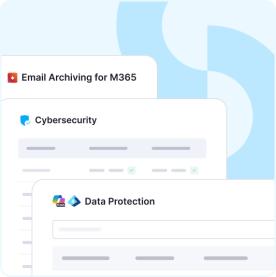
Enable self-service eDiscovery portals for each client tenant. Authorised client users can search, filter, and export archived emails without contacting your team, freeing MSP resource from routine search requests.
Microsoft 365 includes Exchange Online Archiving (In-Place Archive) as part of certain license tiers, and Preservation Policies through the Microsoft Purview compliance portal. These tools provide basic mailbox management and limited retention capabilities, but they are not purpose-built for compliance archiving. They do not provide true WORM storage, independent retention outside the Microsoft 365 tenant, or multi-tenant MSP management.
Partially. Microsoft 365 In-Place Archive can support certain elements of HIPAA and FINRA retention requirements when combined with a specific configuration (e.g., Preservation Lock for FINRA WORM requirements). However, this requires legal attestation and careful configuration, and it carries a dependency risk: if a license lapses or a tenant is migrated, archive accessibility may be compromised. An independent third-party archive eliminates this dependency and provides a cleaner compliance audit trail.
In-Place Archive data is stored within the Microsoft 365 tenant and tied to active mailbox licenses. If you remove a license, the In-Place Archive enters a soft-delete state and becomes inaccessible within 30 days unless the license is restored. During tenant migrations, archived data may need to be migrated manually. CyberSentriq archives are completely independent of Microsoft 365, stored outside the tenant, and unaffected by license changes or migrations.
CyberSentriq captures all Microsoft 365 emails via journaling. A journal rule in Exchange Online routes a copy of every inbound and outbound message to the CyberSentriq journaling endpoint. This copy is stored independently, outside the Microsoft 365 tenant, in immutable WORM storage. It cannot be deleted by an administrator, a license change, or a tenant migration. The archive is searchable through the CyberSentriq console and through per-client eDiscovery portals.
Book a CyberSentriq Demo