Missing Email Evidence
Employment disputes and contract disagreements often hinge on email wording. Without an archive, evidence may already be gone.

Geraldine Hunt
Head of Content Marketing & Brand
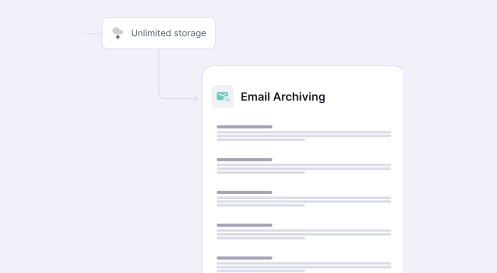




Why Email Archiving Matters
Small businesses face the same legal and regulatory exposure as large companies, without the in-house legal or compliance teams to manage it. A single email can become the deciding piece of evidence in a dispute, an audit, or a customer complaint.
Employment disputes, contract disagreements, and customer complaints often come down to what was actually written, not what someone remembers.
A ten-person healthcare practice carries the same HIPAA retention duties as a large hospital. GDPR applies the same way to any size of business.
Backups protect against data loss. They are not searchable, tamper-proof, or built to support fast retrieval during a dispute or audit.

What Backups and Native Retention Miss
Microsoft 365 and Google Workspace both include basic retention settings. For a business with no compliance obligations and no risk of litigation, that may be enough. For most small businesses, it is not. The core challenge: native retention is designed to manage mailbox size, not to support legal hold, audit-ready search, or long-term, tamper-proof records.
CyberSentriq Email Archiving is built to close these gaps, giving small businesses the audit-ready retention regulators expect, without an added compliance add-on or a dedicated IT team.

of business communication is email. Losing it disrupts operations and compliance.
Email mailboxes archived and protected daily across all customer tenants.
Average eDiscovery search response time across a full archived mailbox.
search limits with CyberSentriq email archiving
Employment disputes and contract disagreements often hinge on email wording. Without an archive, evidence may already be gone.
Retention settings were not built for legal hold or long-term compliance. Missing HIPAA or GDPR requirements can mean fines, lost contracts, and damaged trust.
Searching scattered mailboxes and PST files during audits or legal requests can take days. Self-service eDiscovery finds messages in seconds by keyword, sender, or date.
Growing mailboxes slow down mail servers and push businesses toward expensive storage. Archiving offloads older email, freeing up space.
Five steps that take an SMB from unprotected email to a fully searchable, audit-ready archive across Microsoft 365 or Google Workspace.

Turn on journaling, or the platform's equivalent capture method, so every inbound and outbound email is copied to the archive automatically, without relying on end users.

Set retention periods by mailbox, group, or company-wide policy, matching the rules that apply to your industry, such as HIPAA, GDPR, or sector-specific requirements.
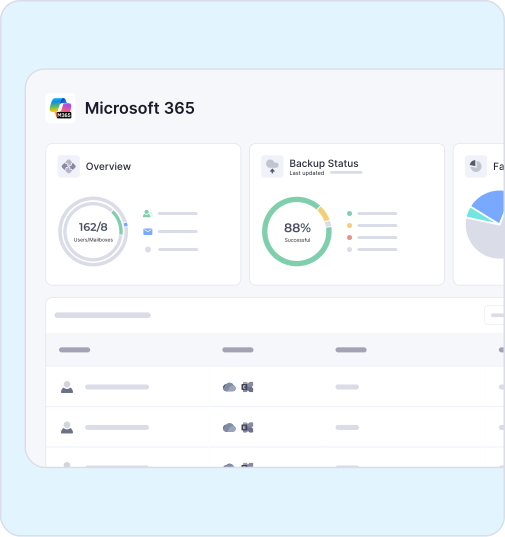
Confirm new email is landing in the archive as expected. Spot-check a sample of recent messages across a few mailboxes before rolling the archive out company-wide.

Run sample searches by keyword, sender, and date range to confirm staff can retrieve any message quickly, before an audit or legal request makes speed essential.
Yes. Small businesses face the same legal disputes, audits, and compliance rules as larger companies, without the in-house teams to manage them manually. Email archiving gives a small business searchable, tamper-proof records it can produce quickly, at a cost built for SMB budgets.
See CyberSentriq Gmail ArchivingNo. Backup protects against data loss and restores files after an outage or deletion. Email archiving is built for compliance and legal discovery. It captures every message in a tamper-proof format, keeps it searchable for years, and supports retention policies and legal hold that standard backups do not.
It depends on your industry and location. Many regulations, including HIPAA and GDPR, set minimum retention periods, and some industries add their own rules on top. CyberSentriq lets you configure retention policies by mailbox or group, so you keep what is required for as long as it is required
CyberSentriq Email Archiving uses pay-per-active-user pricing, so a small business only pays for the mailboxes it archives. There is no hardware to buy and no large upfront project cost, which keeps archiving affordable for businesses with 1 to 50 users.
Book a CyberSentriq DemoWithout an archive, finding a two-year-old email chain can take hours, or the message may already be gone. CyberSentriq keeps every email searchable and ready to produce the moment a dispute arises.
Assuming native retention settings in Microsoft 365 or Google Workspace are enough leaves gaps. Native tools are not built for legal hold, immutability, or long-term audit-ready retention.
PST files scattered across laptops are not a retention strategy. They get lost, corrupted, or deleted, and are nearly impossible to search consistently during an audit or investigation.
